Best Keyword Research Tools for SEO and Search Ads
Every list of the best keyword research tools makes the same promise: put in a seed term, get back a validated list of terms worth targeting. You did the keyword research. You built the cluster. You published against it, and the rankings held.
The traffic did not come.
That gap is the single biggest thing that changed about keyword research between 2025 and now. In the first four months of 2026, 68.01% of US Google searches ended without a click, according to SparkToro’s analysis of Similarweb clickstream data. Only about 276 of every 1,000 searches now send a visit anywhere at all. Two years ago that number was 374. The open web lost roughly a quarter of its clicks per thousand searches in twenty-four months.
Meanwhile 96.55% of pages get no traffic from Google at all, based on Ahrefs’ study of about 14 billion pages. And a second discovery surface appeared out of nowhere: AI referrals now make up 0.5% of traffic to B2B sites but convert into leads three times more often than other organic traffic, per Orbit Media’s study of 97 B2B sites and 28.9 million sessions.
Your keyword tool has an opinion about the first number. It has almost nothing useful to say about the second.
This guide maps the keyword research jobs that actually exist in 2026 to the best premium option, the best budget option, and the thing you can skip. Every price here was checked in August 2026. Several had moved since this article was first published, one of them by more than double.
The split nobody tells you about
Keyword research used to be one job with one data source. You typed a seed term into a tool, the tool queried a clickstream index built from Google behavior, and you got volume, difficulty, and a list of related terms. Everything downstream ran on that one export.
That is now two jobs running on two completely different data systems.
Job A is still Google. Volume, difficulty, SERP structure, intent, clusters, CPC. The tools are mature, the data is decent, and the whole category has been iterating on it for fifteen years. This job did not go away. It got less valuable per keyword, because fewer of those searches leave Google.
Job B is AI answers, sometimes called generative engine optimization, or GEO. What people type into ChatGPT, Perplexity, Gemini, and Google AI Mode. Which brands come back. Which sources get cited. And there is no clickstream index for this, because the queries happen inside a chat window that nobody outside the model provider can see.
The tools that do Job B do not measure search volume. They sample. They run a list of prompts against the engines on a schedule and record what came back. That is a different epistemic act from counting searches, and it produces a different quality of number.
Here is the part vendors skip. SparkToro’s testing found meaningful variability in AI-generated brand recommendations even when the prompt is identical. Run the same question twice and you can get two different shortlists. So a point-in-time AI visibility score tells you less than it looks like it does. Trends over weeks are the signal. Single readings are noise wearing a percentage sign.
Google shipped its own attempt at closing this gap. On June 3, 2026, Search Console launched a separate Generative AI performance report covering AI Overviews and AI Mode. It shows impressions by page, country, device, and date. It does not show clicks. It does not show CTR. And it does not show a single query.
The free tool everybody has still cannot tell you which questions triggered your AI appearances. That is the state of the category.
So the honest framing for 2026 is this. Pick your Google stack based on the job. Then add exactly one AI search tool, treat its numbers as directional, and do not let a vendor sell you a dashboard for a market that sends you one visit in two hundred. That visit converts well. It is still one in two hundred.
What B2B SaaS marketers should look for
Most tool comparisons are written for SEO generalists. If you run content at a SaaS company, your constraints are narrower and your list of things that matter is shorter. (For the fuller picture on the strategy this tooling sits inside, see our B2B SaaS SEO strategy guide.)
SERP-based clustering, not text similarity. Google groups queries by which pages rank for them. Text similarity groups them by which words look alike. These produce different answers and only one of them matches how ranking works.
Intent labels you can act on. “Commercial investigation” tells you to write a comparison page. “Informational” tells you to write a guide. A tool that gives you a difficulty score with no intent context is handing you half a decision.
Bottom-funnel coverage. Most SaaS pipeline comes from alternatives pages, vs pages, integration pages, and pricing content. These have low volume and high value. Tools that filter by volume threshold will bury exactly the terms you should be writing.
Export that survives contact with a brief. CSV out, or an API, or a native integration into wherever your briefs live. A tool with a beautiful dashboard and a PNG export costs you an hour every time you use it.
Credit math that matches your cadence. Almost every tool in this category is now metered. Work out what one full research cycle costs in credits before you buy the plan, because the headline price is rarely the bill.
Honest treatment of AI data. Any tool that reports AI visibility as a single confident number, with no error bars and no sample disclosure, is selling certainty it does not have.
Seats without a tax. If four people need to look at the research, per-seat pricing on top of a metered plan gets expensive fast. A few tools include unlimited seats. Most do not.
Something you will actually open on a Tuesday. The best tool in this list is the one your team opens without being asked. Depth you never use is a subscription, not a capability.
Unfamiliar terms in this piece are defined in our SEO glossary and AI visibility glossary.
The 16 tools at a glance
| Tool | Job | Best for | Price (Aug 2026) | Free option |
|---|---|---|---|---|
| Ahrefs | Discovery, competitor gaps | Depth and data quality at scale | $29 Starter, $129 Lite, $249 Standard, $449 Advanced, $1,499 Enterprise | Ahrefs Free for verified site owners |
| Mangools KWFinder | Discovery | Solo marketers and small teams | $29 Entry, $49 Basic, $69 Premium, $129 Agency (30-40% off annual) | Yes, 5 searches a month |
| Semrush | Intent validation, competitor gaps, ads | Teams that need one platform | $139.95 Pro, $249.95 Guru, $499.95 Business | Limited free plan |
| Bold Pilot | SERP winnability scoring, writing, publishing | Solo founders who want research through publishing on autopilot | $49/mo flat, 90 articles, 3 sites | 7-day free trial |
| Keyword Insights | Clustering, briefs | Content teams planning at volume | $58 Basic, $99 Professional, Enterprise custom | $1 trial for 7 days |
| WriterZen | Clustering, discovery | One-time budget, no recurring fee | $135, $270, or $405 one time. Seats $9/mo | Free trial |
| ClusterAI | Clustering | Bulk SERP grouping on a list you already have | Not published, reported from around $40 | Trial via signup form |
| Ubersuggest | Competitor gaps | Small budgets and early SEO programs | $29 Individual, $49 Business, $99 Enterprise, or $290/$490/$990 lifetime | Limited daily searches |
| Profound | AI prompt demand | Enterprise AI search programs | $99 Starter, $399 Growth, Enterprise custom | No |
| Peec AI | AI prompt tracking | Mid-market marketing teams | $95 Starter, $245 Pro, $495 Advanced | 7-day trial, no card |
| Otterly.ai | AI prompt tracking | The cheapest real entry point | $29 Lite, $189 Standard, $489 Premium | Free trial, no card |
| Semrush AI Visibility Toolkit | AI prompt tracking | Teams already paying Semrush | $99/mo per domain add-on, or Semrush One from $199 | Trial |
| Ahrefs Brand Radar | AI mention tracking | Teams already deep in Ahrefs | $199/mo per AI index or $699 bundle, on top of a base plan | No |
| AlsoAsked | Question research | Building FAQ and cluster structure | Roughly $12 to $47/mo by credits | Yes, 3 searches a day |
| Google Keyword Planner | Paid search planning | CPC and forecast reality | Free with an Ads account | Yes |
| Google Search Console | Your own query data | Everyone, without exception | Free | Yes |
Job 1: Find keywords worth having
Discovery sets the ceiling for everything downstream. Weak list, weak everything.
What changed in 2026 is that discovery got easier and less decisive. Every tool can generate ten thousand keywords. The scarce skill is throwing 9,700 of them away. Orbit Media’s data makes the case for doing the job at all: marketers who always do keyword research report strong results 32% of the time against a 21% benchmark. Doing it well is worth about half again as much as not doing it.
Best premium: Ahrefs Keywords Explorer
- Best for: teams who need the data to be right the first time
- Price: Starter $29/mo, Lite $129, Standard $249, Advanced $449, Enterprise $1,499 (annual saves about 17%, roughly two months free)
- What you give it: a seed term, a competitor domain, or a URL
- Learning curve: a week to be useful, a month to be fast
- Free option: Ahrefs Free (formerly Webmaster Tools) for domains you own and verify
Ahrefs pulls from a large clickstream dataset, which is why its volume estimates hold up better than planner-derived numbers. The metrics that earn their keep are Traffic Potential, which estimates what the whole ranking page gets rather than the single keyword, and Parent Topic, which tells you when two terms belong on one page. Both save you from the classic mistake of building four thin pages that fight each other.
The change worth knowing about is the Starter plan at $29 a month, which did not exist when most comparison articles were written. Several 2026 guides still claim Ahrefs starts at $129. It does not. Starter is capped tight at 100 credits and no Content Explorer, so it works for evaluation and light research, then runs out.
Reviews consistently praise data quality and the interface. Honest complaints center on credits. Every search, every expanded row, every export burns from a monthly allotment that does not roll over, and Lite’s 500 credits disappear faster than the number suggests. Seats are extra at $40 to $100 a month depending on tier. Budget roughly 1.5x the plan price for solo use and closer to 2.5x for an agency stack.
Skip it if: you are running one site with a small content calendar and will use less than a third of the credits you are paying for.
Best budget: Mangools KWFinder
- Best for: solo marketers, small in-house teams, anyone who wants to open a tool and get an answer
- Price: Entry $29/mo ($19.90 annual), Basic $49 ($29.90), Premium $69 ($44.90), Agency $129 ($89.90)
- What you give it: a seed term, with location and language filters
- Learning curve: an afternoon
- Free option: yes, 5 searches a month, plus a 10-day trial with no card
Mangools bundles five tools, and every paid plan unlocks all of them. KWFinder is the reason to buy it. The keyword difficulty score is well calibrated for small sites, the long-tail suggestions are genuinely long-tail, and the interface does not require a training session.
The annual discount here is one of the most aggressive in the category, at 30 to 40% off across every tier. Basic at $29.90 a month annually gets you 500 daily searches and the full suite, which covers a solo content operation completely.
The real constraint is daily lookups. A single competitor gap analysis burns five or six of them once you start clicking through to ranking domains. Do that for three topic clusters and you have used a fifth of your daily quota before lunch on the lower tiers. Mangools also added AI search monitoring, which is a reasonable bonus and a poor substitute for a dedicated tool.
Skip it if: you need backlink depth or technical audit tooling, because those modules are thin next to the rest of the suite.
Skip this: Google Keyword Planner for organic discovery
Google Keyword Planner is excellent at the job it was built for, which is buying ads. For SEO discovery it groups volumes into wide buckets, pushes commercial terms, and gives you no intent signal. You will spend more time deleting suggestions than evaluating them.
It comes back later in this guide, in the job it was designed for.
Job 2: Work out whether you can actually rank
Discovery tells you what exists. Validation tells you what is reachable.
The shortcut most teams take is trusting a single difficulty score. That score is a compression of link metrics into one number, and it says nothing about what type of page Google wants to show, how volatile the SERP is, or whether an AI Overview is eating the click before anyone scrolls.
The intent breakdown is where this gets concrete. Zero-click rates vary wildly by query type: informational queries sit around 74% zero-click and local around 72%, while commercial investigation runs about 46% and transactional about 31%. Same tool, same difficulty score, completely different traffic outcome. A validation step that ignores this is validating the wrong thing.
Best premium: Semrush
- Best for: teams that want intent, SERP structure, and competitive context in one screen
- Price: Pro $139.95/mo, Guru $249.95, Business $499.95 (annual saves about 17%). Semrush One bundles start at $199
- What you give it: a keyword, a domain, or a list
- Learning curve: two to three weeks, it is a large product
- Free option: limited free plan, 7 or 14-day trials depending on route
Semrush labels dominant intent per keyword, shows SERP volatility, and gives you page-level metrics on everything currently ranking. That combination is what turns a keyword list into a format decision. If the top five results are comparison pages and you were planning an essay, Semrush tells you before you brief it rather than after you publish it.
One correction worth making, because it appears in a lot of comparison articles including the earlier version of this one. The tiers labelled Starter $199, Pro+ $299 and Advanced $549 belong to Semrush One, the newer bundle that combines classic SEO with AI Visibility. The classic SEO Toolkit tiers are Pro, Guru, and Business at $139.95, $249.95, and $499.95. They are different products and mixing them up will blow up your budget conversation.
The gap that catches buyers is the Content Marketing Toolkit and historical data, both of which start at Guru. Pro lets you find keywords and then stops short of letting you build strategy around them. API access is Business only.
Skip it if: you need one job done and will not touch the other forty modules, because Semrush’s value comes from breadth you have to actually use.
Best for full automation: Bold Pilot
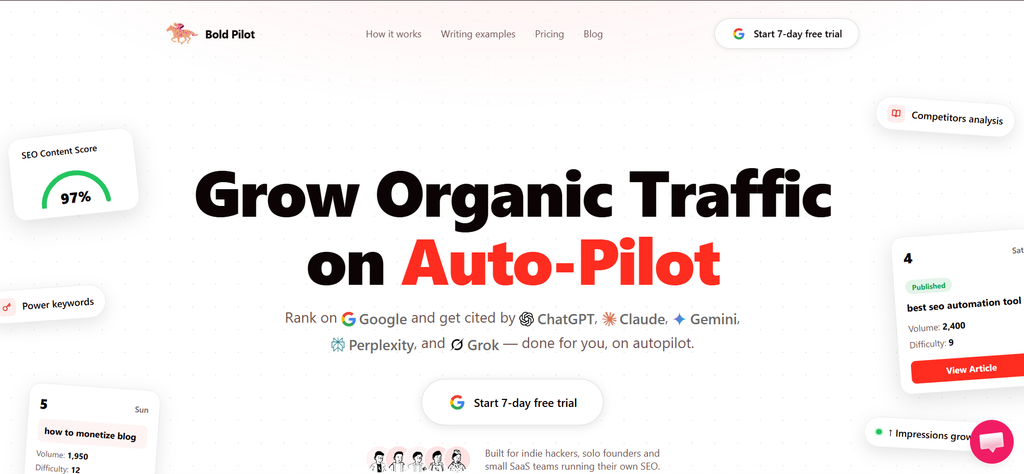
- Best for: indie hackers, solo founders, and small SaaS teams who want the winnability check and the article that follows it handled by the same system
- Price: $49/mo flat, one tier, covers up to 3 websites and 90 published articles a month
- What you give it: your site, a Search Console connection, and a publish destination
- Learning curve: an afternoon to connect a CMS and review the first calendar
- Free option: 7-day free trial, no charge if you cancel inside it
Bold Pilot scores each candidate keyword against the live SERP, the same validation job everything else in this section does, keeps only the ones a site that size can plausibly rank for, then writes a 3,000-plus word article for each one and publishes it directly to WordPress, Ghost, Shopify, Notion, Webflow, or Wix. DEV.to, Hashnode, and Feather get a cross-post, and there’s a webhook and an MCP integration if you’d rather wire it into an AI coding tool than a CMS. Internal linking between the articles it generates runs automatically, and it reads your Search Console data to steer next month’s picks. For a one-person operation, that replaces discovery, validation, and writing with one $49 line item.
Two honest limits. The winnability score doesn’t come with a published methodology, unlike the difficulty tools elsewhere in this guide, so you’re trusting the filter without a way to audit it. And there’s no independent review base yet, no G2 or Capterra listing at the time of writing, so you’re betting on article quality at scale with nothing but the 7-day trial to check it against. Run that trial against a keyword you already understand well enough to judge the output yourself before you hand it a month’s calendar.
Skip it if: you already have a writing process or a CMS workflow you like, since Bold Pilot is priced and built as a full replacement for both, not a component you can buy on its own. Also skip it if you’re managing more than three sites or need more than 90 articles a month. There’s one tier, and nothing to scale into.
Use difficulty as a filter, never as a decision. The decision needs the SERP.
Job 3: Turn a list into an architecture
Clustering is where a spreadsheet becomes a content plan. It decides which terms share a page, which need their own, and how the internal linking should run.
The mechanism matters more than the interface. Google groups queries by SERP overlap, meaning it looks at which URLs rank for which terms. Cluster by text similarity and you will confidently merge “marketing automation tool” with “marketing automation workflow examples” because they share four words, when the SERPs for them share almost nothing.
Best premium: Keyword Insights
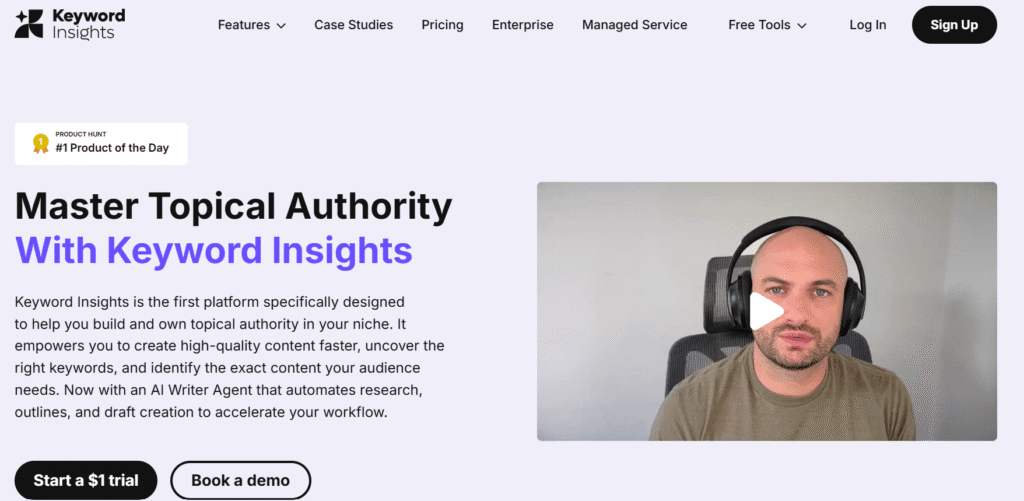
- Best for: content teams clustering thousands of keywords and turning clusters into briefs
- Price: Basic $58/mo (10,000 credits, 1 seat), Professional $99 (20,000 credits, 3 seats), Enterprise custom. Annual saves 20%
- What you give it: a CSV, or an import from Ahrefs, Semrush, or Search Console, up to 50,000 keywords
- Learning curve: a day
- Free option: $1 trial for 7 days with 5,000 one-time credits
Keyword Insights clusters on live SERP data and tags each cluster with intent. The output tells you which pieces should merge into one page, which should stand alone, and how the hub and spoke structure should look. For a team producing at volume, this compresses a week of manual work into an afternoon.
Pricing changed since this article first ran. The old $299 Premium tier is gone. There are now two published plans, Basic at $58 and Professional at $99, and everything above that is a conversation. The credit costs are worth memorising before you commit: clustering is 1 credit per keyword, a content brief is 100, the writing assistant is 200 per article, and the AI Writing Agent is 1,200.
That last number is where Basic’s 10,000 credits evaporate. Ten AI-written articles and your month is done. Reviewers rate the clustering as the best in the category and are consistently less impressed with the writing features, which is a reasonable read. Cluster with it. Write elsewhere.
Skip it if: you cluster a few hundred keywords a quarter, because pay-as-you-go or a cheaper tool covers that without the subscription.
Best budget: WriterZen
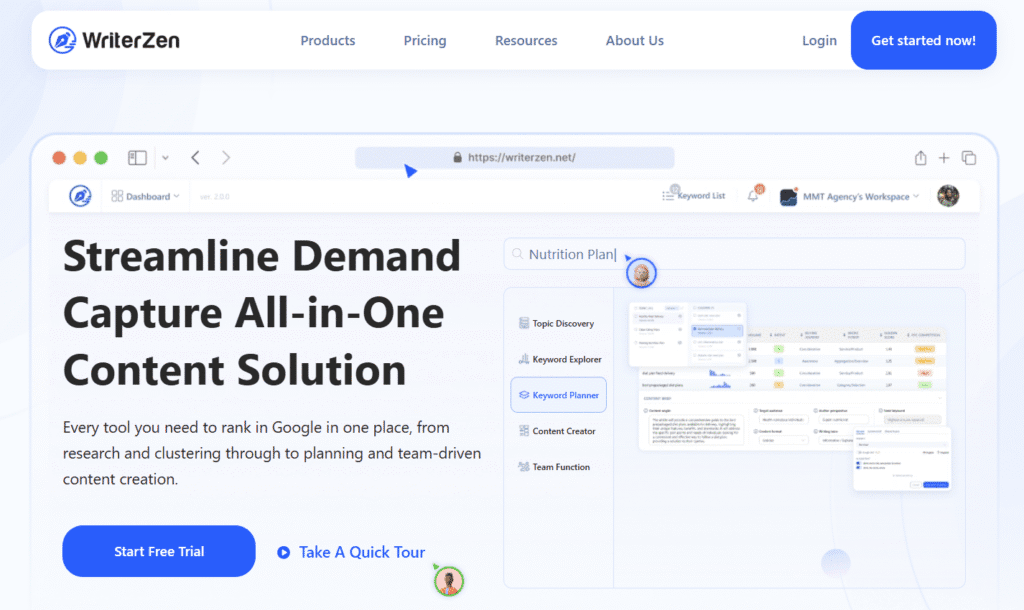
- Best for: anyone who wants clustering without a recurring bill
- Price: Keyword Research $135 one time, All-In-One Basic $270, All-In-One Advanced $405. Extra seats $9/seat/mo
- What you give it: a seed term or an imported keyword list
- Learning curve: a few days, the interface is dense
- Free option: free trial, 21-day money-back on the lifetime purchase
WriterZen still runs the pay-once model, and for a solo operator or a small team that is a real advantage over paying $58 a month indefinitely. You get keyword clustering, the Keyword Golden Filter for low-competition terms, topic discovery, and a plagiarism checker.
The prices went up. The tiers were $75, $150, and $225 when this article was first published. They are now $135, $270, and $405. Still cheap against a year of anything else, and worth knowing before you quote the old numbers to a founder.
Two honest cautions. NLP credits are not included in any package and have to be bought separately. And the site still carries promotional furniture from an earlier campaign cycle, which is a soft signal about how actively the product is being maintained. The tool works. Buy it for clustering and keyword research, not as your content platform.
Skip it if: you need a tool your whole team will live in daily, because the interface asks more of new users than the subscription alternatives do.
Also worth knowing: ClusterAI
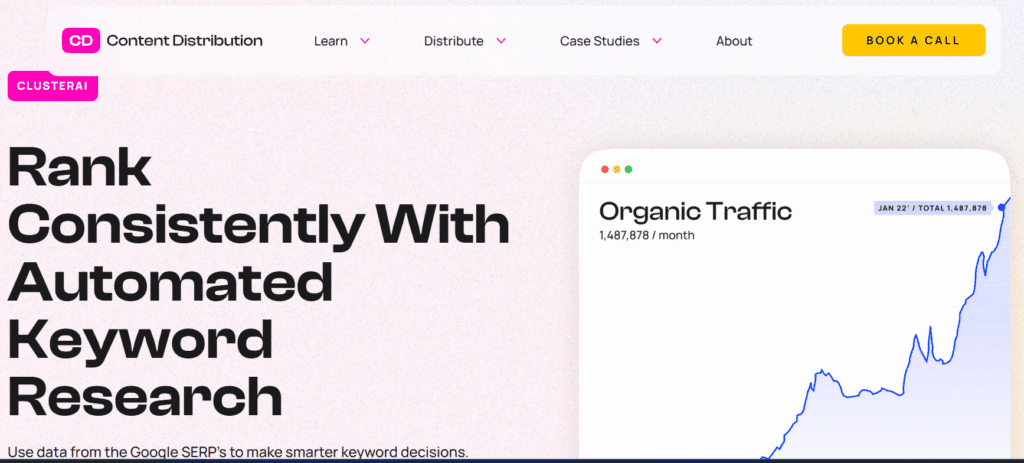
ClusterAI takes a list of up to 25,000 keywords, pulls the live SERP for each, and groups terms where three or more of the same URLs rank for both. That is the correct mechanism, executed simply, and the export gives you the main keyword, its variations, and total volume.
The problem is the buying experience. Pricing is not published anywhere on the site, third-party reviews put it at around $40 for 1,000 keywords, and you sign up through a form to find out. You also need Ahrefs, Semrush, or Search Console first, because ClusterAI does not generate keywords.
Skip it if: unpublished pricing is a dealbreaker for your procurement process, which for most SaaS finance teams it is.
Skip this: clustering on text similarity alone
Any tool that groups keywords by how similar the words look is guessing at the wrong thing. Embedding-based clustering has the same flaw with better marketing. If the tool never touches a SERP, its clusters describe language, and Google ranks pages.
Job 4: Find the gaps your competitors left open
Competitor research is the fastest way to find winnable terms, because someone else already paid to discover them.
For B2B SaaS this matters more than in most categories. Search competition is dense, topics overlap heavily, and the terms that drive pipeline are the ones nobody writes about because the volume looks embarrassing. A gap analysis surfaces exactly those.
Best premium: Ahrefs Site Explorer and Content Gap
- Best for: finding every keyword a competitor ranks for that you do not
- Price: included in Ahrefs plans, $29 to $1,499/mo
- What you give it: two to five competitor domains and your own
- Time to first result: under ten minutes
- Free option: limited, on domains you own
The Content Gap tool is the single highest-leverage report in Ahrefs. Drop in four competitors, drop in your domain, and get every term where they rank and you do not. Filter by difficulty and traffic potential and you have a quarter of content planning in one export.
The second use most teams miss is inverting it. Look at what your competitors rank for that produces no revenue, and skip those topics deliberately. Competitive research is as useful for deciding what not to write.
Reviews are strong on backlink and keyword data accuracy. The recurring complaint is that the traffic estimates are estimates, and treating them as measurements leads to bad prioritisation calls. Read the direction, not the decimal.
Best budget: Ubersuggest
- Best for: early SEO programs and small budgets
- Price: Individual $29/mo, Business $49, Enterprise $99, or lifetime at $290, $490, and $990
- What you give it: a competitor domain or a keyword
- Learning curve: an hour
- Free option: limited daily searches, 7-day trial on paid plans
Ubersuggest covers competitor keywords, top pages, and gap analysis at a fraction of the platform price. It is not as precise as Ahrefs and does not claim to be. For a small business or a new content program, it is often enough to build a real plan.
Pricing more than doubled since this article was first published. The old tiers were $12, $20, and $40. They are now $29, $49, and $99. The lifetime deal pays back in about ten months against monthly billing, which is compelling arithmetic with one asterisk: Ubersuggest has restructured its plans before, and features that were generous have been throttled into tiered allocations since. A lifetime deal is a bet on the roadmap.
Honest complaints cluster on database size and data freshness against Ahrefs and Semrush, plus basic reporting and exports. For everyday research on a small site, most people do not notice the gap.
Skip it if: you are making six-figure content bets on the output, because the data depth does not support that level of confidence.
Skip this: traffic estimation browser extensions
Extensions that show you a competitor’s traffic in a hover card are running blended estimates on thin samples. Fine for curiosity. Not fine for a planning document that someone is going to defend in a QBR.
Job 5: Find out what people are asking AI
This job did not exist when this article was first published. It exists now, and the tooling is a year old, expensive, and less accurate than its dashboards imply.
Start with the honest sizing. AI referrals are about 0.5% of traffic to B2B sites, and ChatGPT accounts for 82.3% of those sessions. Those visitors convert into leads at 2.1% against 0.5% for Google organic, which is why the category is worth attention at all. Meanwhile 92% of marketers already optimize or plan to optimize for both traditional and AI search.
Small channel, high quality, near-universal attention. Buy accordingly. Our AI SEO statistics post has the full numbers, our AI citation study for B2B SaaS breaks down what actually gets cited on buying queries, and if you want the mechanics of how AI answers actually cite sources, we broke that down in AI citations vs AI mentions. For a broader look at the tool category itself, see our AEO tools roundup and our comparison of AI visibility tracking tools.
Best premium: Profound
- Best for: enterprise programs that need prompt demand data, not just brand tracking
- Price: Starter $99/mo (ChatGPT only, around 50 prompts), Growth $399 (3 engines, 100 prompts), Enterprise custom. Third-party reports put enterprise deployments at $2,000 to $5,000+/mo
- What you give it: your brand, competitors, and a prompt set
- Free option: no
Profound is the closest thing this category has to a keyword tool. Prompt Volumes is panel data from opted-in consumers showing what questions real users actually send to AI engines, with regional and demographic breakdowns. Conversation Explorer sits on top of it and shows how often topics come up across platforms. Nobody else ships this dataset.
The caveats are load-bearing. Prompt volume is noisier than search volume by construction: engines reformulate queries, follow-up turns inflate counts, and a panel scales differently from a full population. Treat the numbers as directional. Even directional, knowing a topic is rising and a region is over-indexed is more than any other tool gives you.
The pricing situation is messier than it looks. The public pricing page is now demo-led with no plan ladder. The $99 and $399 figures come from third-party surfaces and Profound’s own review content, so confirm them live. More importantly, Prompt Volumes is gated to Enterprise. The dataset that makes Profound worth buying is not on either self-serve tier.
Skip it if: you want the prompt demand data and cannot get an enterprise contract approved, because the tiers below it are brand monitoring with a premium logo.
Best mid-market: Peec AI
- Best for: in-house marketing teams that want a clean scoreboard without a sales cycle
- Price: Starter $95/mo (50 prompts), Pro $245 (150 prompts), Advanced $495 (350 prompts), Enterprise custom. Annual saves 15%
- What you give it: your domain, competitors, and prompts (it suggests them)
- Free option: 7-day trial, no credit card
Peec AI tracks visibility, position, and sentiment at the prompt level with daily updates and competitor benchmarking. Unlimited seats on every tier is genuinely unusual in a category that meters everything, and the suggested-prompts feature cuts setup from a day to an hour.
Two structural limits to price in. Every self-serve plan caps you at three engines, and the base three are ChatGPT, Perplexity, and Google AI Overviews. Adding a fourth costs $35 a month on Starter, $85 on Pro, and $165 on Advanced. If you came specifically to track Gemini or Claude, price that in before comparing headline numbers.
The second limit is that Peec shows data from the day tracking begins with no historical backfill. Sign up today and you have nothing to say about last quarter. Start the trial before you need the data.
Skip it if: you need citation-level source tracking or API access, because neither is available on the self-serve tiers.
Best budget: Otterly.ai
- Best for: finding out whether AI search matters for your category before spending real money
- Price: Lite $29/mo (15 prompts), Standard $189 (100 prompts), Premium $489 (400 prompts). Annual saves about 15%
- What you give it: a domain and a prompt list
- Free option: free trial, no card required
Otterly.ai is the cheapest real entry point in the category, and Lite is a working plan rather than a teaser. Fifteen prompts, four base engines, tracking across 50-plus countries, 1,000 GEO URL audits, unlimited team members, and an AI keyword research tool. For validating whether your buyers are asking AI about your category at all, $29 is close to free.
The GEO crawlability audit is the standout feature at this price. It tells you whether AI crawlers can read your pages, which is the thing most teams get wrong before they get anything else wrong.
The catch is the same as everywhere else in this category: the four base engines do not include Gemini, Google AI Mode, or Claude, and adding them runs $9 to $149 a month depending on engine and tier. Lite also has no API or MCP access, both of which start at Standard. Fifteen prompts is enough to test a hypothesis and not enough to run a program.
Skip it if: you have already validated that AI search drives real pipeline for you, because you will outgrow 15 prompts in the first week.
If you already pay for a suite: Semrush AI Visibility Toolkit or Ahrefs Brand Radar
Semrush AI Visibility Toolkit is a $99 a month add-on per domain, or bundled into Semrush One from $199. It shows an AI Visibility Score and flags where your brand is included, missing, or cited incorrectly across AI Overviews, ChatGPT, and Perplexity. Shallower than the specialists. Also the cheapest way to start if the contract already exists.
Ahrefs Brand Radar is the expensive one. It runs on a database of 260 million-plus search-backed prompts across six engines and adds YouTube and Reddit mention tracking, which matters because YouTube is one of ChatGPT’s most-cited domains. The pricing stacks: a base Ahrefs plan from $129, plus $199 a month per AI index or $699 for the six-platform bundle, plus $50 a month for 2,500 custom tracked prompts. Independent reviews put the all-in cost between $828 and $1,148 a month.
Two documented problems. Reviewers have found accuracy gaps, including one test where Brand Radar reported 3 ChatGPT mentions against an actual count of 123. And the prompt database is built from search query data, which means it inherits Google’s phrasing. People do not talk to ChatGPT the way they type into Google. “Best CRM for small business” is a Google query. “I run a 10-person agency and I’m drowning in client follow-ups, what should I use” is a prompt. Those return different brands.
Skip both if: you are not already paying for the base platform, because neither justifies the full stack on its own.
Free and underrated: AlsoAsked and Search Console
AlsoAsked scrapes Google’s People Also Ask boxes and maps them into a branching tree of follow-up questions, two, three, and four levels deep. Three free searches a day with no account. Paid plans run roughly $12 to $47 a month depending on credits, with CSV export on the higher tiers. It is the fastest way to build the FAQ section of a pillar page and the question structure of a cluster, and both of those are what AI answers pull from.
Google Search Console remains the only source of your actual query data, and it is free. The new Generative AI performance report separates AI Overview and AI Mode impressions from standard organic. What it does not give you is clicks, CTR, or queries, and access is rolling out in phases starting with UK site owners. Useful for tracking whether your AI impressions are rising. Useless as a keyword tool, for now.
Skip this: any tool selling a single AI visibility score
If a dashboard reports your AI visibility as one confident number with no sample size, no error range, and no methodology page, it is selling certainty the underlying data cannot support. Identical prompts return different brand shortlists across runs. That is the nature of sampling a stochastic system.
Use these tools for trend lines over weeks and for finding which sources get cited in your category. Do not put a single week’s score in a board deck. We wrote about why most of these numbers are guesses in your AI visibility ROI number is mostly a guess.
Job 6: Plan paid search without burning budget
Paid search does not forgive bad data. A wrong CPC estimate or a mismatched match type drains a month’s budget in a week.
This is also the one job where the free tool wins outright.
Best premium: Semrush Advertising Toolkit
Best for: teams running paid and organic together and wanting one competitive view Price: included with Semrush plans, $139.95 to $499.95/mo What you give it: a keyword list or competitor domains
The Semrush Advertising Toolkit gives you CPC data, competitive density, competitor ad copy, and keyword grouping suggestions in one place. The genuinely useful parts are historical CPC trends, which show seasonality, and negative keyword discovery, which is where most wasted spend actually lives.
The value here is the overlap with your organic work. If you already know which clusters are winnable organically and which are not, the paid plan writes itself: bid on the ones you will not rank for this year.
Best budget: Google Keyword Planner
Best for: anyone who needs the real number Price: free with a Google Ads account What you give it: keywords, a URL, or a competitor site
Google Keyword Planner pulls from the live auction. Every other tool in this category models CPC. Keyword Planner reports it. You get bid ranges, impression forecasts, competition levels, and the ability to build ad groups directly.
For paid search this is not the budget option that compromises. It is the accurate one that happens to be free.
Skip this: SEO tools quoting predicted CPC
Blended CPC estimates from SEO platforms were built for competitive context, not budgeting. Using them to size a campaign produces forecasts that are confidently wrong in one direction or the other. Take the CPC from the auction.
The free tier reality
Most free plans in this category are trials wearing a costume. A few are not.
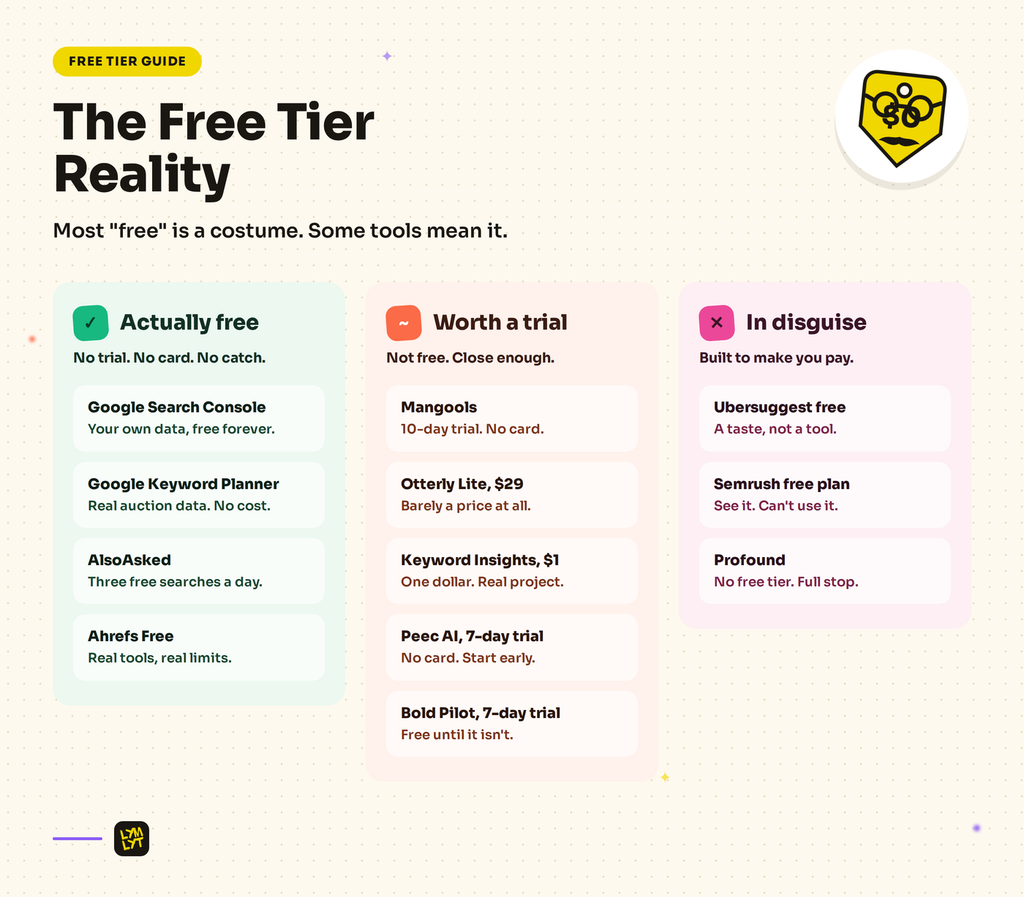
Actually usable free:
Google Search Console. Your own query data, unlimited, forever. Nothing else in this list is this valuable per dollar.
Google Keyword Planner. Real auction data, free with an Ads account.
AlsoAsked. Three searches a day, no signup. Enough to structure a pillar page.
Ahrefs Free. Site Explorer and Site Audit on domains you own and verify. Limited, real.
Free enough to evaluate with:
Mangools. Five searches a month is a demo, but the 10-day trial with no card is a proper test.
Otterly Lite at $29. Not free. Close enough to it that the distinction stops mattering.
Keyword Insights $1 trial. Seven days and 5,000 credits, enough to cluster a real project.
Peec AI 7-day trial. No card. Start it early, since there is no historical backfill.
Bold Pilot 7-day trial. No charge if you cancel inside it, and given that it publishes automatically, it’s worth running against a keyword you can judge yourself before your first bill.
Trials in disguise:
Ubersuggest free. A handful of daily searches designed to make you upgrade.
Semrush free plan. Enough to see the interface, not enough to do the work.
Profound. No free tier, no free trial of the full product.
The B2B SaaS marketer’s playbook
Tool lists are organised by tool. Work is organised by job. Here is the mapping.
Building next quarter’s content calendar. Ahrefs or Mangools for discovery, Keyword Insights for clustering, then briefs. This is the core loop and it does not need anything else. If budget is tight, Mangools plus WriterZen covers it for under $200 a year after the one-time purchase. (For the calendar structure itself, see our B2B SaaS content calendar.)
Launching into a category where you have no authority. Bold Pilot’s winnability score does the same job LowFruits used to do, finding terms where weak sites rank, then writes and publishes against them automatically for $49 a month. If you’d rather do the writing yourself, run the same logic manually through Ahrefs Content Gap once you have something ranking to defend.
Building the pages that actually close deals. Alternatives pages, vs pages, integration pages. Ahrefs Content Gap against your top four competitors, filtered for commercial investigation intent. Ignore the volume column entirely on these. A term with 40 searches a month and buying intent beats one with 4,000 and none. We made the longer case for this in comparison pages as pipeline assets.
Finding out whether AI search matters for you at all. Otterly Lite at $29 for one month. Fifteen prompts covering your category, your brand, and three competitors. If you never appear and neither do your competitors, buyers are not asking AI about your category yet and you can stop here. If competitors appear and you do not, you have a problem worth funding.
Running an ongoing AI visibility program. Peec AI at $95 or $245 depending on prompt volume, or the Semrush AI Visibility Toolkit at $99 if you already pay Semrush. Profound only if you can get Enterprise approved and specifically need Prompt Volumes.
Structuring a pillar page. AlsoAsked for the question tree, then Keyword Insights or ClusterAI for which terms share the page. The question tree is doing double duty now, because those are the question formats AI answers pull from.
Planning paid campaigns. Google Keyword Planner for the numbers, Semrush Advertising Toolkit for the competitive picture. Never the reverse.
Reporting to a CMO who is asking about AI. Search Console’s Generative AI report for impressions, plus one AI tool for share of voice trends. Present the trend line over four weeks. Do not present a single-week score as if it were a measurement.
Three rules that hold regardless of which tools you pick:
Buy for the job you do weekly, not the job you do once a quarter. Pay-as-you-go beats a subscription for anything you touch less than monthly, and almost every tool here now offers it.
Work out the credit cost of one full research cycle before you buy the plan. Every tool in this category is metered. The headline price is the floor, not the bill.
Do not let the AI tooling budget exceed the AI channel’s contribution. It is 0.5% of traffic. It converts well. Both of those are true at the same time.
How to run one keyword research cycle in 2026
Six steps. Half a day for a cluster, not a week.
1. Pull your own data first. Search Console, last 3 months, filter for queries with impressions above 100 and position between 8 and 25. These are terms you almost rank for. They are cheaper to win than anything a tool will suggest.
2. Expand from two seeds, not twenty. One seed describing the problem your product solves, one describing the category you compete in. Twenty seeds produce a list nobody will finish reading.
3. Filter for intent before you filter for volume. Tag every term informational, commercial investigation, or transactional. Given that informational queries run about 74% zero-click and commercial investigation about 46%, this ordering matters more than it used to.
4. Cluster on SERPs. Upload to Keyword Insights, WriterZen, or ClusterAI. Any cluster where the SERPs do not overlap is two pages, not one, whatever the words look like.
5. Pull the question tree. Run your primary term through AlsoAsked. The second and third-level questions become your H2s. That structure is what gets pulled into AI answers.
6. Add the AI check. Take the five highest-value commercial terms and phrase each one the way a buyer would type it into ChatGPT. Not the keyword. The sentence. “What is the best keyword research tool for a B2B SaaS marketing team of three” rather than “best keyword research tools.” Run those five prompts manually, or track them in whatever AI tool you picked. Note which brands come back and which sources get cited. Those sources are your outreach list. (For the mechanics of turning that into actual citations, see our guide to getting cited in Perplexity.)
Then brief it. Our free content brief generator turns a keyword into a writer-ready brief, and our AI visibility checklist scores how findable the resulting page will be inside AI answers.
How to choose
One site, tight budget, doing the work yourself: Mangools plus AlsoAsked plus Search Console. Under $50 a month.
In-house SaaS content team, one product: Ahrefs Standard plus Keyword Insights Basic. Around $310 a month and it covers every Google job properly.
Agency running multiple clients: Semrush Guru plus Keyword Insights Professional plus Otterly Standard for client AI reporting.
New domain, no authority: Bold Pilot at $49 a month if you want research through publishing handled end to end, or WriterZen on its own once you’ve found the winnable terms elsewhere.
Validating whether AI search matters: Otterly Lite, one month, fifteen prompts.
Running a funded AI visibility program: Peec AI, or Profound Enterprise if you need Prompt Volumes.
Planning paid campaigns: Google Keyword Planner, always, plus Semrush if you want competitive context.
You already pay for Semrush: add the AI Visibility Toolkit at $99 before you evaluate anything else.
Learning resources
Prefer the official documentation over third-party tutorials in this category, because the tools change faster than the tutorials do.
- Ahrefs Academy
- Semrush Academy
- Google Search Central documentation
- Google Ads Help: Keyword Planner
- Mangools Learn
- Keyword Insights documentation
The bottom line
Every tool in this list does the same thing at its core. It hands you a list and a set of numbers. None of them decide what to write, what angle to take, or why a buyer should care. That part has not been automated and is not close to being automated, even for the tools in this guide that now automate the writing itself.
Which matters more now than it did, because the volume of adequate content went up and the number of clicks went down. Google sends 276 visits per thousand searches to the open web. AI sends one visit in two hundred, and that visit converts three times better than the ones Google sends. Both of those numbers reward the same thing: content specific and useful enough that someone chooses it, or an engine cites it, over the forty other pages saying roughly the same thing.
Keyword research tells you which conversation to enter. It does not tell you what to say when you get there. That is still the job, and it is still the part most teams under-invest in. We wrote more about that in AI didn’t cause content blindness, marketers did. For how research, writing, and publishing fit together as one system rather than a stack of separate tools, see our guide on how to build a SaaS content engine.
If you would rather have someone else run the research and write the pages, that is what we do. See our SEO content writing and AI visibility work, or book a 30-minute call and we will look at your current keyword set with you.

Jay is the co-founder of LymLyt and an AI partnership consultant helping B2B SaaS companies grow through content strategy, SEO, and AI integration. He writes about content marketing, what makes B2B content convert, and how SaaS teams can build content systems that drive real pipeline.