6 marketing tools I built myself, 2 I kept, and 1 I crawled back to
I am a content marketer. I do not write code.
Last year I cancelled six paid tools and built my own versions instead, using Claude, on weekends. All 6 are live on lymlyt.pro right now. Go click around if you want.
I am not going to show you what I saved. Money is not the reason I did it. I did it because I kept paying for tools that did 1 thing I needed and 9 things I did not, and it turns out you can just build the 1 thing now.
Here is what went, what stayed, and the one I went back to.
The whole list, at a glance
| What I dropped | What I use now | How hard was it | Should you copy it |
|---|---|---|---|
| Ahrefs, Semrush | Google Search Console, GA4 | No build needed | Yes, unless you sell SEO |
| Mailchimp, ActiveCampaign, Beehiiv | Own newsletter and sending | Medium, deliverability is the catch | Only under a few thousand subscribers |
| Lead magnet and tool builders | Three tools I built: signature generator, brief generator, AI visibility checklist | Two weekends each | Yes, best return of the six |
| Popup and CTA tools | Own popup | Easiest on the list | Yes, if you run one offer |
| WordPress theme and page builder | Own theme | Biggest job here | Do it last |
| Grammarly | ChatGPT | No build needed | Yes |
| HubSpot (CRM) | Kept | Months of work | Not yet |
| Notion (project management) | Kept | Months of work | Not yet |
1. Ahrefs and Semrush, replaced by Search Console and Analytics
This is the one that started everything.
Same site. Same month. Four tools.
- Search Console: 153 clicks, 48,300 impressions, average position 30.9
- Google Analytics: 98 new users, 14 returning
- Ahrefs: about 13 visits a day, flat all month
- Semrush: started at 100, dropped to nearly zero on July 6, stayed there
Nothing happened on July 6. No penalty, no deindexing, no redesign. Search Console shows the second half of that month was my best. Semrush reported a crash that never happened.
Two of those tools measure what actually happened. Two of them guess. I was paying for the guesses and putting them in client reports.
So I stopped. Now I open this.
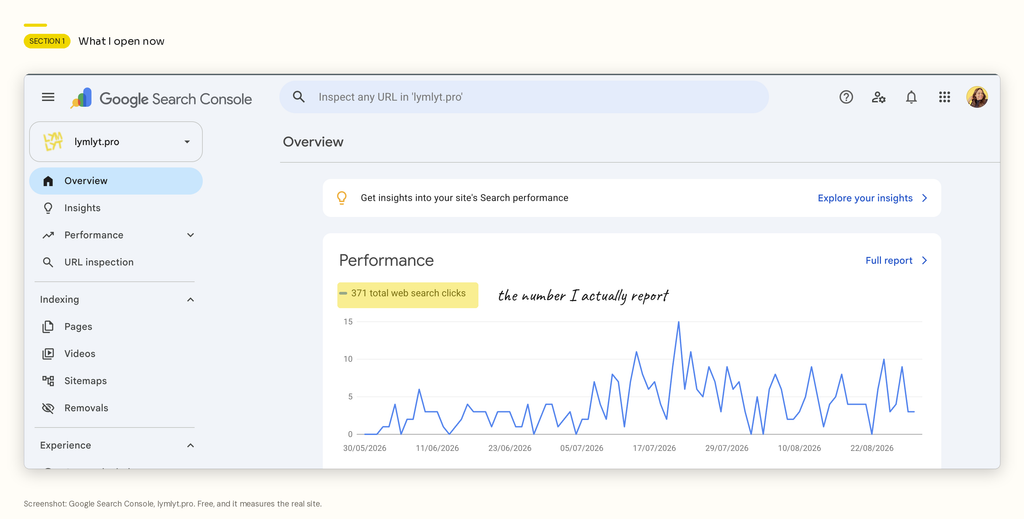
Search Console and GA4. Both free. Both looking at my real site.
The short version: if a number in your client report came from an estimate, say so in the report. Most people do not, and that is the actual problem here.
What I lost
- Competitor traffic data
- Keyword volume estimates
- Backlink monitoring
What I gained
- Numbers I can defend in a meeting
- One source instead of four that disagree
- Zero monthly cost
Skip this if: you pitch new SEO accounts for a living. You need competitor data to sell the work, and Search Console will not give you someone else’s site.
One gap neither tool fills: neither one tells you what ChatGPT says about you. That is a separate problem with its own set of tools, and it is why we ran an AI citation study instead of guessing.
2. Beehiiv, replaced by my own newsletter
I used Mailchimp, then ActiveCampaign, then Beehiiv. Three tools, same job. Each move happened because the last one annoyed me in a new way.
Then I built my own and stopped moving.
Want to be the most interesting marketer in the room?
Join our newsletter for interesting marketing stories, opinions, and studies — so you always have something interesting to talk about with your non-SaaS friends.!
Almost there. Check your inbox and click the confirmation link. We want to make sure you entered a working email address.
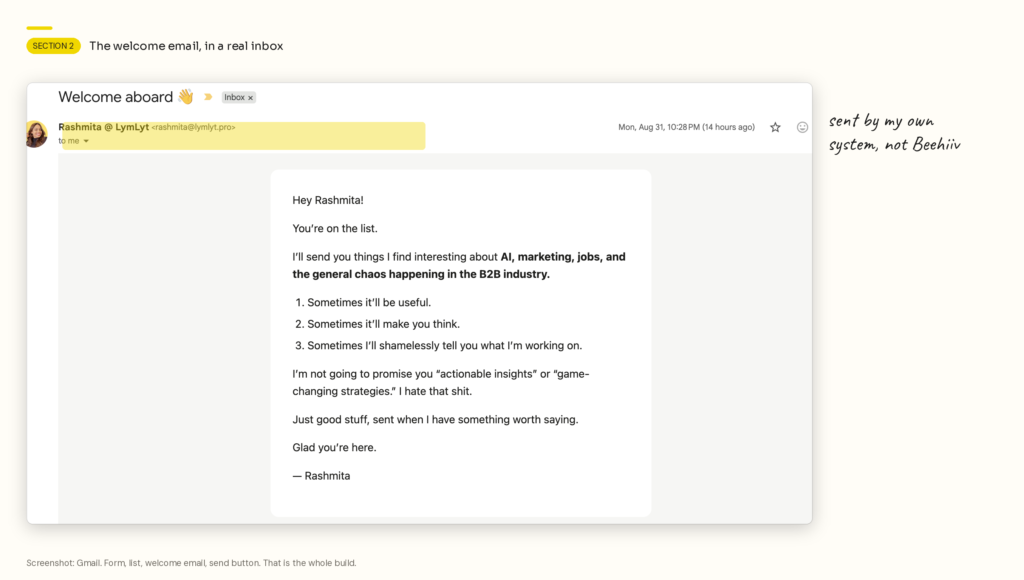
What I actually needed:
- A signup form
- A list stored somewhere
- A welcome email
- A send button
That is it. What those platforms really sell you is a nice editor and a dashboard. I was sending plain text.
The catch: the hard part is deliverability, not sending. Domain authentication, warming up your sending, keeping the list clean. A platform quietly handles that for you. Build your own and it becomes your job. Learn it before you move a real list, not after.
The build was the easy part. Deciding what the newsletter is for took longer, and I leaned on our own guide to B2B newsletters and the seven format templates to settle it. If you want the version with real teardowns, that is in B2B newsletter ideas and samples.
You can see what lands in your inbox by subscribing. It is the same thing in the screenshot above.
Skip this if: you have more than a few thousand subscribers, or you have no interest in reading about email authentication on a Saturday. The AI-native email tools are getting good enough that buying is a fair call.
3. Tool builders, replaced by three tools I actually use
Most free-tool plugins give you a calculator template. I did not want a calculator.
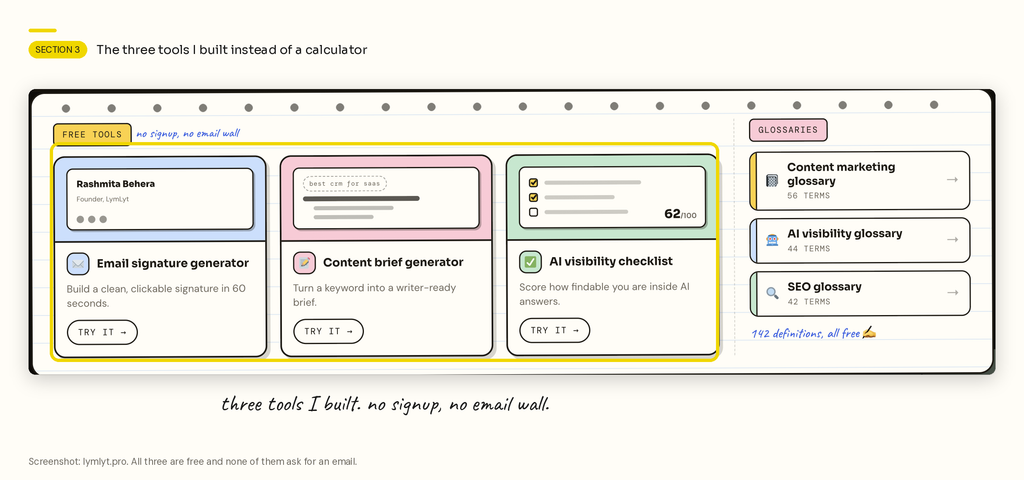
I built three things instead:
- Email signature generator. A clean, clickable signature in about a minute.
- Content brief generator. Turns a keyword into something a writer can start from. It exists because I got tired of explaining what a good brief contains.
- AI visibility checklist. Scores how findable you are inside AI answers.
That last one exists because nobody sells it, and it is the thing my clients ask me about most. Two weekends. Waiting for someone else to build it would have taken years, if it ever happened.
None of them ask for an email. That was a choice. Gating a tool behind a form gets you fake addresses and no users, which is the opposite of what a lead-gen asset is supposed to do.
Why this one matters most: these are the pages people link to and share. Nobody shares a generic calculator. People share a thing that answers a question they were stuck on.
Same logic drove the three glossaries: SEO, content marketing and AI visibility. 142 definitions, no form.
4. Popup tools, replaced by my own popup
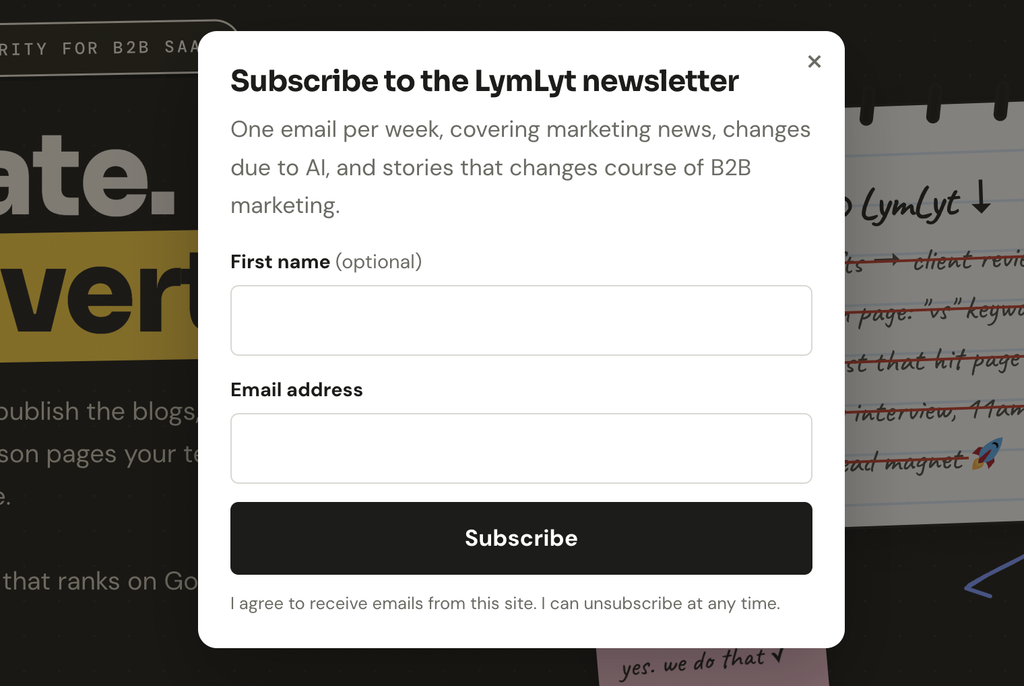
That is my popup. Name, email, one line about what you get, and a button.
Popup tools charge monthly for:
- Exit intent
- Scroll and time triggers
- A/B testing
- A targeting rules engine
I run one popup, on one site, with one offer. I use none of that.
This was the easiest thing on the list and the one I feel most stupid about having paid for.
Skip this if: you run several offers across different segments and you actually test them. Rules engines are dull to build and duller to maintain.
5. WordPress theme and page builder, replaced by my own theme
You are looking at it if you have opened lymlyt.pro.
Page builders are slow and heavy, and every site built with one looks the same. I spent more time arguing with a builder about spacing than it would have taken to write the CSS.
This is the biggest job on the list. Not the hardest. The biggest. A theme is hundreds of small decisions and there is no way around them.
Do this one last, after you have built something small and learned how you and AI work together. If you only need a few high-converting pages rather than a whole site, a landing page builder is still the sane choice.
6. Grammarly, replaced by ChatGPT
Small one, but it counts.
- Grammarly catches commas and typos.
- ChatGPT tells me the third paragraph repeats the first, the ending is weak, and I used “essentially” four times.
One of those is proofreading. The other is editing. I was paying for the proofreading and doing the editing myself anyway.
Worth being clear about what these tools are for. They edit. They do not write the piece, and the difference matters more than most AI writing tool roundups admit.
The 2 I kept
HubSpot, for CRM. I want to replace it. I have not, and I am not going to pretend otherwise. A CRM holds deals, contacts, email history, forms and reporting, all connected, with other people depending on it. That is months of work. If you are shopping rather than building, we compared ten CRM options already.
Notion, for project management. Same reason. I want to replace it because my setup is odd. I run a business, I create content, I work across several clients, and I sync with my own team and other people’s teams. Nothing off the shelf fits that, including Notion.
Both are on the list. Neither is done.
The pattern, and the most useful line in this article: everything I replaced was a tool only I touch. Everything I kept is a tool other people touch.
The moment other people use your software, you have signed up to support it, explain it, and fix it at 11pm when someone else is blocked. That is a job, not a weekend project.
The 1 I crawled back to
I cancelled my paid ChatGPT because Claude was doing everything I needed.
Then Claude got worse for about a year. Slower on my work, weaker at writing. So I paid for ChatGPT again. I pay for both now.
I am telling you this because the clean version of this article leaves it out. Some cancellations do not stick. Sometimes you go back eight months later, and that is fine. Tools move fast enough that our top 100 AI tools list loses several names every time we update it.
What this actually costs
Weekends. That is the real price.
Everything worked the way I expected. Nothing broke in some dramatic way I can build a good story around. It just ate my Saturdays and Sundays. If I protected my weekends properly, none of this would exist.
Also worth saying: this gets addictive. I built things some weekends because I wanted to see if I could, not because I needed them. Calling that productivity would be a lie.
The thing that made it work was knowing exactly what I wanted before I started. Not “I need a newsletter tool.” A form here, a list stored there, a welcome email that says this, a send button. When you know that, AI is fast. When you do not, you spend four hours making a worse copy of the tool you just cancelled.
This is also the part of the job that is changing fastest. Half the marketing titles that exist now did not exist three years ago, and “can build the thing” is quietly becoming part of the description.
How to pick your first one
- Do not start with your website. Start with a tool you pay for, barely use, and nobody else touches.
- Write down what it does for you in plain sentences. Not features. What it does. If that list runs past eight lines, keep paying for it.
- Build the small version. The one screen you actually open.
- Use it for a month before you cancel anything. Run both. Find out what you forgot.
- Check your honesty. Are you saving time, or enjoying the building? I have done both.
FAQs
Do I need to know how to code? No. I do not. You need to know exactly what you want, which is harder and more useful. A vague request gets you a vague tool.
Which one should I build first? The popup, or something equally small. It takes an afternoon and it teaches you the whole loop: describe it, build it, break it, fix it, put it live.
What about security and data? This is the reason I have not touched the CRM. If your tool stores other people’s data, you have taken on a responsibility. My popup collects a name and an email. My CRM would hold client deal history. Different risk entirely.
Is this actually cheaper? In subscriptions, yes. In hours, it depends on what your time is worth and whether you enjoy the work. If you hate building, this is a bad trade. There is a wider version of that maths in what content marketing actually costs.
What happens when it breaks? You fix it. Nobody is on call for you. That is the real cost of owning software instead of renting it, and it is why I kept the two tools other people depend on.
Can I do this on a site that is not WordPress? Yes. Nothing here is WordPress-specific except the theme. The tools, the popup and the newsletter are just pages and a bit of backend.
Should a whole marketing team do this? Probably not the same way. This works because I am the only user of everything I built. Once a team relies on a tool, you need documentation, support and someone who owns it. That is when buying wins.
Does building tools help SEO? Indirectly, and more than a blog post does. Free tools earn links because people reference them, which is one of the harder parts of any B2B SaaS SEO strategy to fake.
None of this replaces the actual work. The tools got cheaper. Deciding what to publish, writing it well, and knowing whether it worked did not.
That last part is what we do: blog writing, SEO content and AI visibility for B2B SaaS teams. Pricing is public, and you can book a call if you want to talk it through.

Rashmita is content marketer with 8 years of experience building and growing SaaS brands. Now she tests various AI tools for marketers and shares her feedback on this blog, LinkedIn, Instagram, and YouTube.