The 12 best AI-native email automation tools in 2026
You went shopping for AI-native email automation tools last year. What you actually got was the same drag-and-drop builder you had in 2019, with a “write with AI” button bolted onto the subject line field. You still log in. You still click through menus. You still drag blocks around a canvas. The AI writes you a sentence you rewrite anyway.
That is the trap in this category. Most tools calling themselves AI email platforms are old tools wearing a new badge. The email engine was built for a human to operate by hand, and AI got sprinkled on top so the pricing page could say the word.
This list of AI-native email automation tools is the other kind: tools where AI is the operator, not the feature. You describe the campaign, the flow or the outbound motion, and the system builds and runs it. We left out the big names everyone already knows are email tools with AI features stapled on; our roundup of marketing automation software tools covers those. What is left is the group actually built AI-first, plus the data tools, sending engines and agents that earn a spot on capability.
What “AI-native” actually means
There is a real difference between AI-added and AI-native, and it decides whether the tool saves you an hour a week or an hour a day.
AI-added means the product is a dashboard first. Someone shipped a working email platform, then trained a model to draft copy inside it. The workflow is unchanged. You are still the operator. The AI is an assistant in the passenger seat, and you are still driving.
AI-native means the product was designed for a machine to run. The interface is a prompt or an API, not a menu. You tell it what you want in plain language, and it builds the flow, writes the emails, targets the list, and waits for your approval before it sends. The dashboard, if there is one, is for checking the work, not doing it.
The sequence: how an AI email motion actually runs
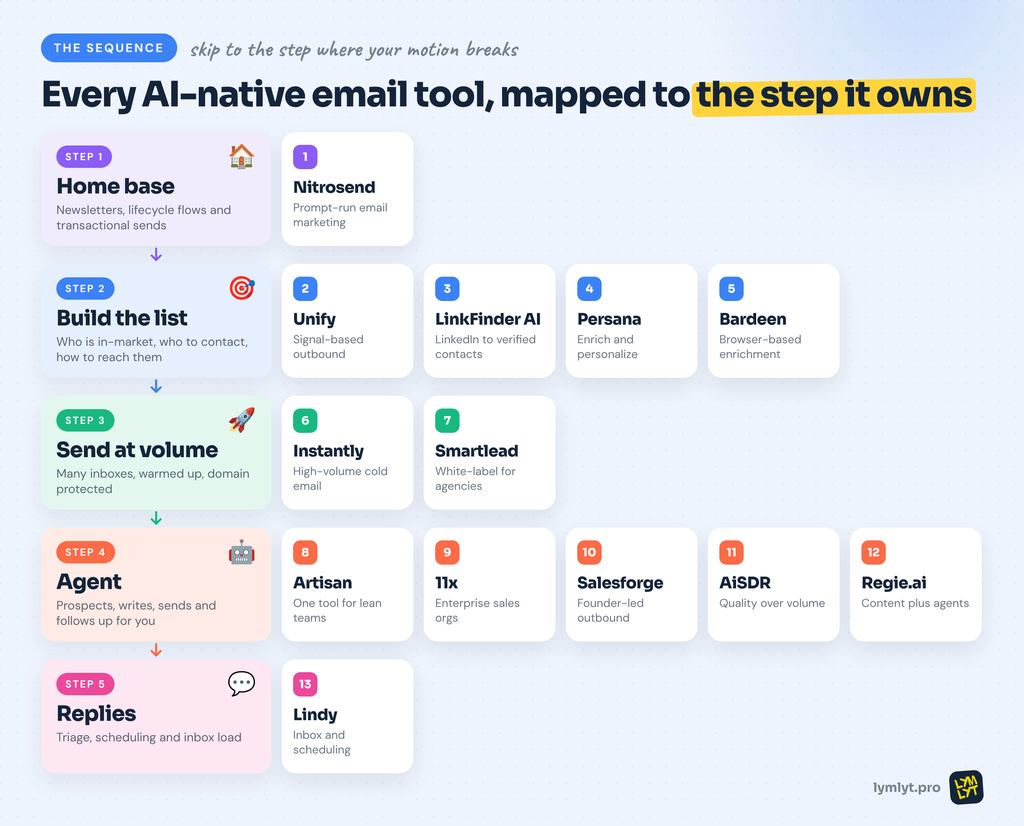
Most “best AI email” lists mush everything together and leave you comparing a newsletter platform against a cold outbound agent as if they do the same job. They do not. So this list follows the order an email motion actually runs, from where your email lives to what happens after someone replies:
- Pick the home base for marketing email: newsletters, lifecycle flows, transactional sends.
- Build and clean the list for outbound: who is in-market, who exactly to contact, and how to reach them.
- Send at volume across many inboxes without burning your domain.
- Hand the motion to an agent that prospects, writes, sends and follows up for you.
- Handle what comes back: the replies, the scheduling and the inbox load.
Skip to the step where your motion breaks. If your emails are good but land on the wrong people, your problem is step 2, not step 4.
What marketers should actually look for
Skip the feature checklists. Here is what decides whether a tool earns its keep for a B2B SaaS team.
- Who operates it. Can your AI agent run the whole thing, or does a human still have to log in and push buttons? The AI-native ones let Claude or ChatGPT do the operating, often through MCP or Claude Skills. That is the whole point.
- Marketing sends or outbound, or both. Newsletters and lifecycle flows are a different job from cold prospecting. A cold email agent will not run your product-update newsletter, and a lifecycle platform will not prospect for you.
- Deliverability you can trust. AI writing quality means nothing if the email lands in spam. Ask about warmup, inbox rotation and real inbox placement, not just the vendor’s heat score.
- The real bill, not the headline. Almost every tool here has a modular price. The sticker covers one product. Leads, data, CRM, mailboxes and enrichment credits stack on top. A $47 tool is often a $150 tool once it works.
- Brand control. Tools that store brand voice, colors and tone and apply them automatically save you from editing every draft. Tools that hand you generic AI copy make you the editor of a robot.
- Human approval gates. Autonomous is good until the agent sends something off-brand to 4,000 people. Insist on review before anything goes out.
- Contact model. Per-contact pricing punishes growth. The more your list grows, the bigger your bill, whether or not you email those people. Per-send pricing rewards you for sending well, not for hoarding contacts.
- Integration with your stack. HubSpot, Salesforce, GA4, Calendly, your CRM. If the tool cannot sync cleanly, you are back to copy-paste, and the automation was a lie.
The 13 tools at a glance
| # | Tool | Step | Best for | Starting price | Free option |
|---|---|---|---|---|---|
| 1 | Nitrosend | Home base | Marketers and agencies running email from Claude or ChatGPT | Free, then $20/mo | Yes, real |
| 2 | Unify | Build the list | Signal-based warm outbound orchestration | $700/mo annual | No |
| 3 | LinkFinder AI | Build the list | Turning LinkedIn profiles and names into verified contacts | Pay-as-you-go from $25, plans from $99/mo | 25 free credits |
| 4 | Persana | Build the list | Enrichment plus AI email personalization | Custom | Trial |
| 5 | Bardeen | Build the list | Browser-based enrichment and prospecting | Free tier | Yes |
| 6 | Instantly | Send at volume | High-volume cold email at scale | $37.60/mo annual | Trial |
| 7 | Smartlead | Send at volume | Agencies wanting white-label cold email | $39/mo | Trial |
| 8 | Artisan | Agent | Lean teams wanting one tool for outbound | $280/mo | 300 credits/mo |
| 9 | 11x | Agent | Enterprise sales orgs with 50+ seats | ~$5,000/mo | No |
| 10 | Salesforge | Agent | SMB and founder-led outbound | $499/mo annual | 14-day trial |
| 11 | AiSDR | Agent | Quality-over-volume AI outreach | $900/mo quarterly | No |
| 12 | Regie.ai | Agent | Larger SDR teams wanting content plus agents | $180/user/mo | No |
| 13 | Lindy | Handle replies | Inbox, scheduling and workflow automation | $49.99/mo | 7-day trial |
Prices move fast in this category. Verify before you sign, especially on the tools with modular add-ons.
Step 1: Pick the home base for marketing email
This is where your owned email lives: the newsletter, the onboarding flow, the win-back sequence. These go to people who opted in, so the list comes from your signup forms, not from step 2. If you are building that program from scratch, our guide to B2B newsletter success covers the strategy before you pick the tool.
1. Nitrosend
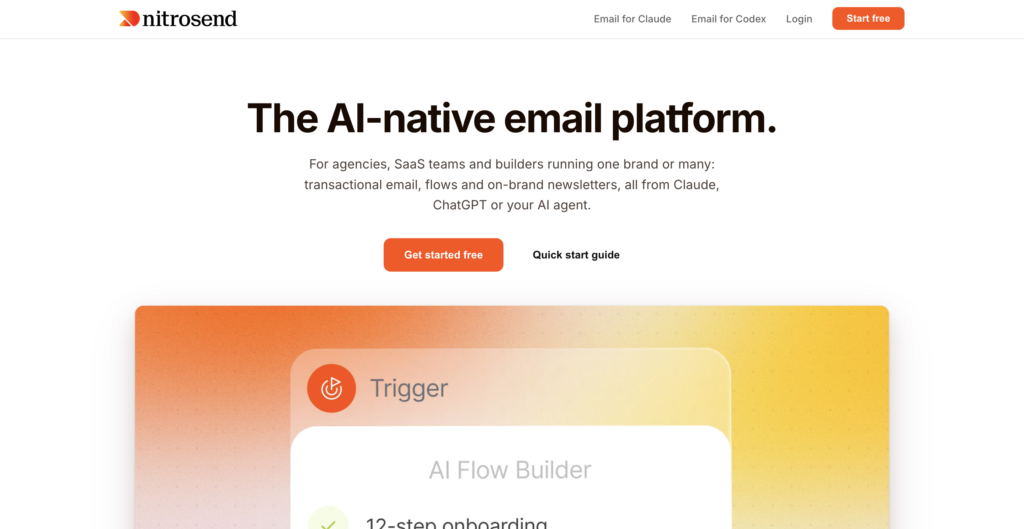
Best for: Marketers, agencies and SaaS teams who want to run email from Claude or ChatGPT instead of a dashboard.
Price: Free (8,000 emails to start, then 500/mo), Pro $20/mo (20,000 emails), Ultra $100/mo (125,000 emails). Unlimited contacts on every plan.
What you give it: A prompt. “Build a five-email post-trial win-back flow with branching logic.”
Free option: Yes, and it is real, not a trial in disguise.
Nitrosend is built the way the category claims to be built: AI first, email second. It connects to Claude, ChatGPT, Cursor, Codex and any MCP-compatible agent. You describe the campaign, and it builds the flow, the branching and the on-brand designs in one pass, ready for your approval.
The output stays editable at the pixel level, and on Pro and above you can bring your own sending keys from SES, Mailgun, Postmark, Resend or SendGrid to keep your existing reputation.
The honest part
It is young and seed-funded, built by a small team, though the founders previously built and sold SmartrMail. It is a marketing and lifecycle platform, not a cold outbound engine, so it will not prospect for you. Deep enterprise deliverability history is not there yet.
Skip it if: You need a mature enterprise ESP with years of deliverability history, today.
Step 2: Build and clean the list
Outbound email is only as good as who you email and what you know about them. This step is the data layer: working out which accounts are in-market, finding the right person, getting a contact detail that will not bounce, and adding the context that makes an email feel written for them. Get it wrong and every tool in steps 3 and 4 just sends bad emails faster. It is the same machine a GTM engineer builds: watch for a signal, pull the company’s details, find the right person and their verified email, then write.
2. Unify
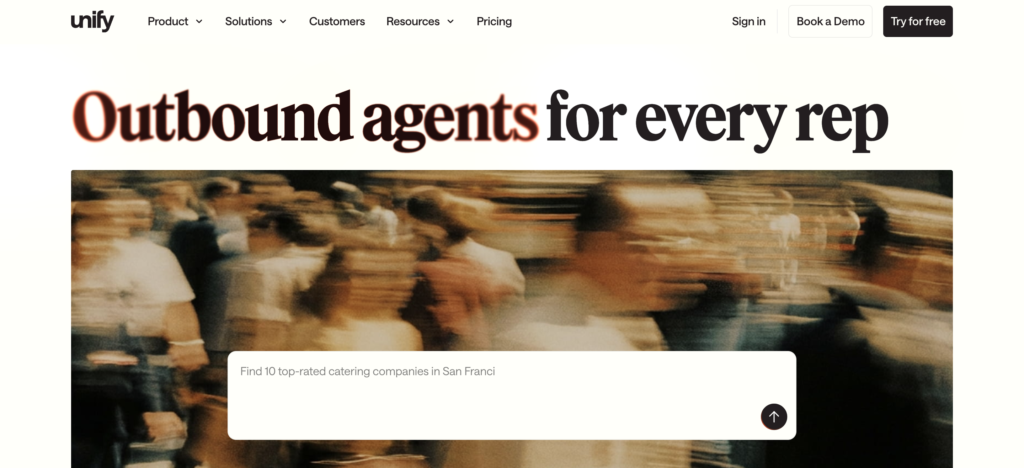
Best for: Teams running signal-based warm outbound that want intent data, enrichment and sequencing orchestrated in one system.
Price: Growth from $700/mo billed annually, on a credit model. Additional seats and mailboxes cost extra. No free plan.
What you give it: Intent signals, ICP definitions and automated “Plays.”
Free option: No.
Unify is where the sequence starts if your outbound is triggered by intent. It aggregates signals from more than ten sources, including website visitor identification, then runs “Plays”: automated sequences that capture a signal, enrich the account, build a multi-step sequence, execute it, and escalate to a human only when a prospect engages. Companies like Cursor and Perplexity use it, and the model works when your outbound is signal-driven rather than list-and-pray.
The honest part
The credit system is the most common complaint: every enrichment, signal and agent run burns credits, which makes monthly spend hard to forecast. Setup takes two to four weeks and rewards teams with ops support. And it is overkill if your motion is still “export a list, load a sequence, hope.” You will pay platform money for orchestration you will not operationalize.
Skip it if: Your outbound is basic volume sending and you have no intent signals to act on.
3. LinkFinder AI
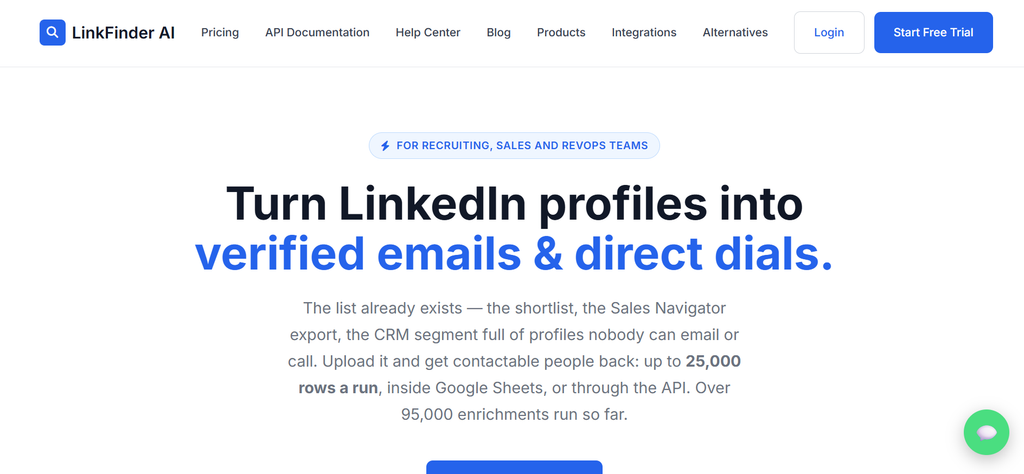
Best for: Outbound teams that start from LinkedIn profiles or names and need verified emails and phone numbers.
Price: 25 free credits, no card. Pay-as-you-go from $25 per 1,000 credits. Professional $99/mo (20,000 credits), Scale $249/mo (70,000), Enterprise from $999/mo. An email costs 10 credits, a phone number 50.
What you give it: A LinkedIn URL, or a name and a company, singly, by CSV or via API.
Free option: 25 credits with no time limit.
Unify tells you which accounts are worth emailing. LinkFinder AI gets you the person behind them. It returns verified work emails, direct dials and company details from a LinkedIn URL or just a name and employer, so campaigns reach real, current contacts, not guessed addresses.
It fits the AI-native brief: a REST API and an MCP server let an agent call it directly, and it plugs into n8n, Make, Zapier, Google Sheets and HubSpot.
The honest part
It is enrichment only, so pair it with a sender from step 3 or an agent from step 4. Coverage is strongest for contacts with a LinkedIn presence, and phones cost five times as many credits as emails. The trial covers only a couple of lookups, so test your own ICP with a small pack first.
Skip it if: Your buyers are not on LinkedIn, or you want one tool that finds, writes and sends.
4. Persana
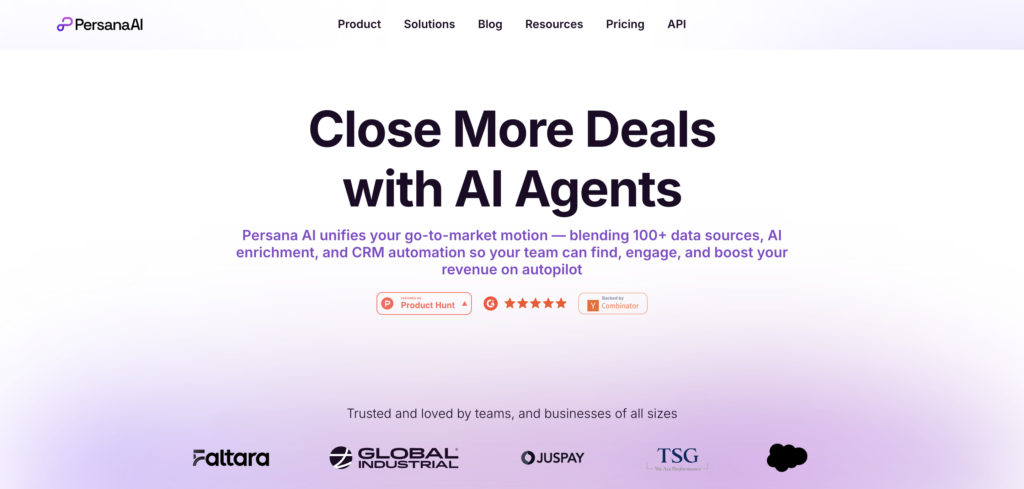
Best for: Teams that want enrichment and verified email discovery paired with AI personalization before every send.
Price: Custom, positioned below the enterprise orchestration platforms. Trial available.
What you give it: Target accounts or contacts to enrich, plus your outreach context.
Free option: Trial.
Where LinkFinder AI focuses on getting the contact right, Persana adds the personalization layer on top. It combines enrichment, verified email discovery and company data with AI-powered personalization, pulls from more than 100 data sources, offers one-click enrichment, and reports finding around 95% of emails. It then uses that data to build targeted, personalized outreach. It pairs cleanly with a sender: Persana handles the “who and what do we know,” and your sending tool handles the “send it.” For teams whose outreach fails on data quality rather than copy, this is the missing layer.
The honest part
It is a data and personalization engine, not a full campaign platform, so you still need something to send from. Custom pricing means you have to get a quote to compare it against the enrichment built into the bigger platforms. And like every enrichment tool, the value depends on how accurate the data actually is for your specific ICP, so verify a sample before you commit.
Skip it if: Your bottleneck is copy or sending, not the accuracy and depth of your contact data.
5. Bardeen
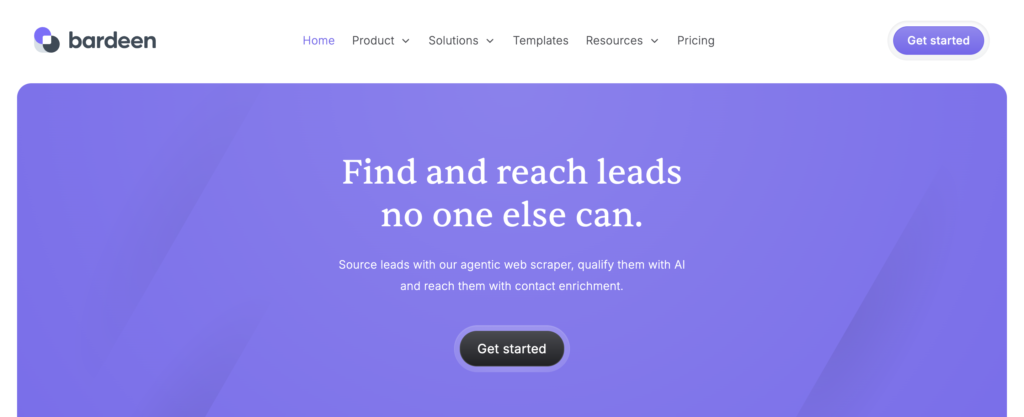
Best for: Marketers and ops people who live in the browser and want AI-driven enrichment and prospecting without code.
Price: Free tier with 100 credits/mo; paid plans add more. Credit-based: one credit per row for standard actions, three for enrichment.
What you give it: A repetitive browser task described in plain English, or a page to scrape.
Free option: Yes, a functional free-forever plan.
Bardeen runs as a Chrome extension and handles the repetitive knowledge work behind your email motion: pulling data off a page, enriching a CRM record, moving information between apps. In 2025 it repositioned around AI agents, and its center of gravity moved to sales and go-to-market, with prospecting front and center. If your bottleneck is the data prep behind outreach (list-building, enrichment and CRM hygiene), this is its sweet spot, and the free plan makes it easy to test.
The honest part
Building complex, multi-step custom automations takes more manual configuration than the natural-language pitch suggests, and the credit math catches people off guard once volume climbs. It is strongest at browser-bound scraping and enrichment; for deep orchestration across backend systems, a dedicated agent builder gives you more control.
Skip it if: You need reliable orchestration across many backend systems rather than browser-based enrichment.
Step 3: Send at volume
With a clean list, you need an engine that can send across many inboxes without burning your domain. These are strong sending platforms that added AI agents on top. They do not change how you think about outbound, but they are where most cold email actually goes out. (If your outreach is for press and links rather than pipeline, our roundup of outreach and earned media tools fits better.)
6. Instantly
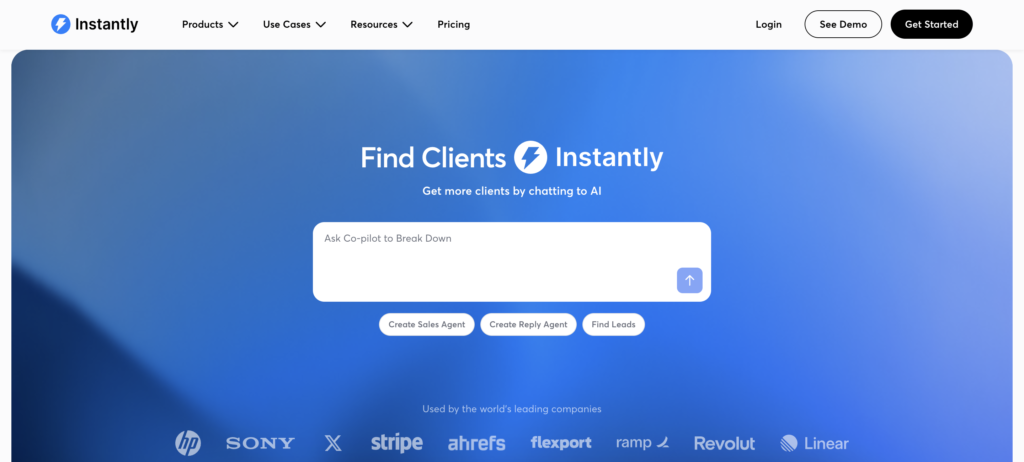
Best for: Founders, agencies and sales teams running high-volume cold email across many inboxes.
Price: Growth $47/mo ($37.60 annual), Hypergrowth $97/mo ($77.60 annual), Light Speed $358/mo ($286.30 annual). Outreach, Lead Finder and CRM are sold as separate products, so a working stack runs $124 to $500-plus per month.
What you give it: A domain and an ICP, or your own lead list.
Free option: Trial.
Instantly is the tool most people picture when they hear cold email. Unlimited email accounts, built-in warmup and a big B2B lead database made it the default for outbound teams. Its AI layer now includes a sales agent that sources prospects, enriches them and sends personalized emails, plus an AI Copilot that writes sequences and reply labels that sort incoming responses by intent. Reviews praise how intuitive it is to set up and run.
The honest part
The pricing is modular, and the real cost is often two to three times the headline once you add the lead database and CRM. It is email-only, with no LinkedIn channel, so coordinated multichannel outreach means running a second tool. And in 2026 users report warmup heat scores disagreeing with real inbox placement, so watch deliverability at high volume rather than trusting the dashboard.
Skip it if: You want one predictable bill, or you need LinkedIn and email working together in one motion.
7. Smartlead
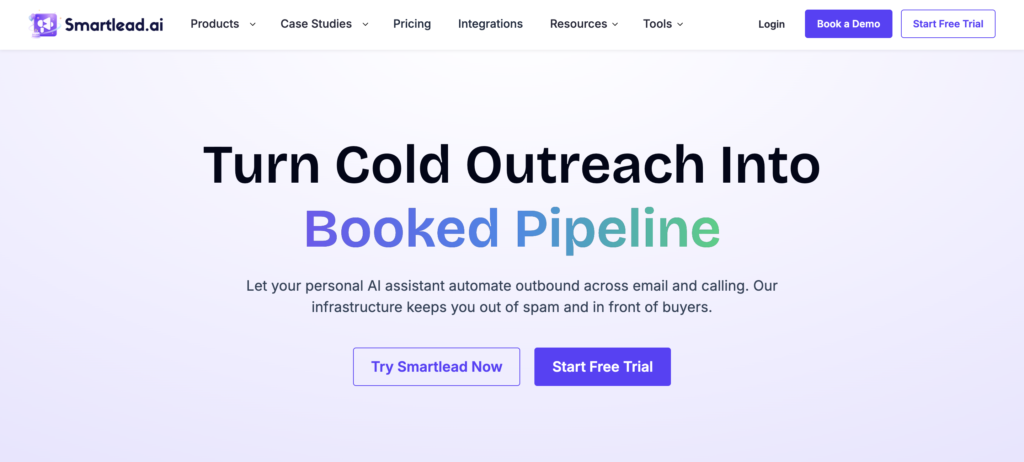
Best for: Agencies that want white-label cold email with unlimited sending accounts at a lower entry price.
Price: From $39/mo (2,000 active leads, 6,000 emails), scaling to $174/mo (30,000 leads). Unlimited email accounts on every plan, plus a white-label agency dashboard.
What you give it: Your lead list and a sequence, or let the AI draft one.
Free option: Trial.
Smartlead is the closest thing to Instantly’s model, with two things going for it: a white-label dashboard that lets agencies run client accounts under their own brand, and an agency plan with unlimited clients that often beats Instantly on value for teams managing many senders. AI personalization and a unified inbox round it out. If you run cold email for clients, the white-label piece alone can justify the switch.
The honest part
For a solo marketer or a single-brand team, the agency features are weight you will not use, and the entry price is a touch higher than the cheapest alternatives. It is a sending engine, so the same rule applies: the copy and the targeting still have to be good, or you are just spraying faster.
Skip it if: You are a solo marketer running one brand and you do not need white-label or client management.
Step 4: Hand the motion to an agent
This is where the category gets loud. These tools do not just send email; they run the whole outbound job: find the prospect, research them, write the email, send it, follow up and hand off replies. The pitch is “replace your SDR.” The reality across every honest review is closer to “replace 40 to 60% of the SDR’s job.” They handle the volume. They do not handle the judgment. Read every entry with that framing.
8. Artisan (Ava)
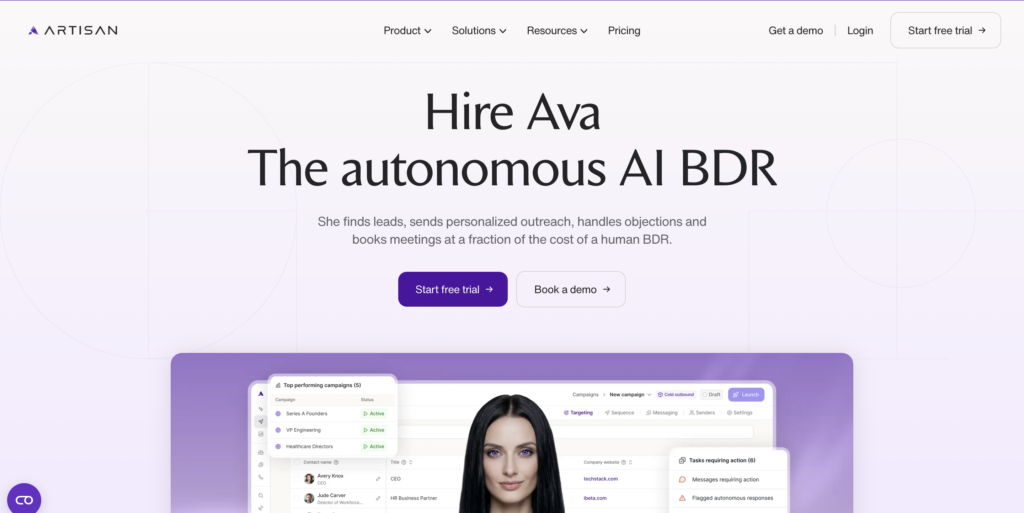
Best for: Lean teams and solo founders who want one tool to prospect, write and send outbound without stitching three tools together.
Price: Intern $280/mo, Employee around $600/mo billed annually ($7,200/yr, 30K credits). Enterprise custom. Free plan with 300 credits/mo for testing. Annual contracts are standard.
What you give it: Your ICP and product details.
Free option: Yes, 300 credits monthly.
Artisan‘s AI SDR, Ava, sources contacts from a 300M-plus database, enriches them, writes multi-touch sequences with per-prospect intro lines, and sends on a managed schedule with built-in warmup. The consolidation is real: sourcing, research, copy and sending live in one tab, which removes the tax of gluing tools together. The interface is one of the cleanest in the category, and onboarding is hands-on.
The honest part
The most consistent complaint across G2 and Reddit is email quality, described by users as AI slop and “Mad Libs with a logo.” Data accuracy is uneven, strong in US tech and thinner elsewhere. The annual contract is standard, and several reviewers flag cancellation friction. Meetings get booked, but reviewers report they are often poorly qualified, which is how more MQLs can still mean less pipeline. Treat Ava as a productivity tool you supervise weekly, not a headcount you fire and forget.
Skip it if: You sell into a tight, technical ICP where every message needs operator judgment.
9. 11x (Alice)
Best for: Enterprise sales orgs with 50-plus seats, clean Salesforce data and high-ACV deals.
Price: Opaque and enterprise-only, roughly $5,000/mo, or $40,000 to $60,000 a year, on an annual (often multi-year) commitment. No self-serve or free trial. The phone agent, Julian, is a separate license.
What you give it: ICP criteria and CRM access.
Free option: No.
11x‘s Alice is the most enterprise-focused AI SDR of 2026. She pulls a target list, enriches it, writes personalized outreach across email and LinkedIn, and books meetings, with deep Salesforce integration that natively reads opportunity stage, deal history and territory rules. For a 100-rep org with complex territories, that depth is the differentiator. Onboarding and support get consistent praise.
The honest part
This is the heaviest commitment on the list. Pricing is not published, the contract is annual before you can validate, and multiple reviewers report inflexible terms. A 2025 TechCrunch investigation raised questions about churn versus stated retention. The templates are locked down, so you cannot fully see or control what Alice sends, which is by design but stings when you want to iterate. And deliverability is a constant battle: teams with a strong templated offer report decent volume, and teams without it get spam-classified fast.
Skip it if: You are a lean team, you have a small budget, or you need to prove results before signing a year.
10. Salesforge (Agent Frank)
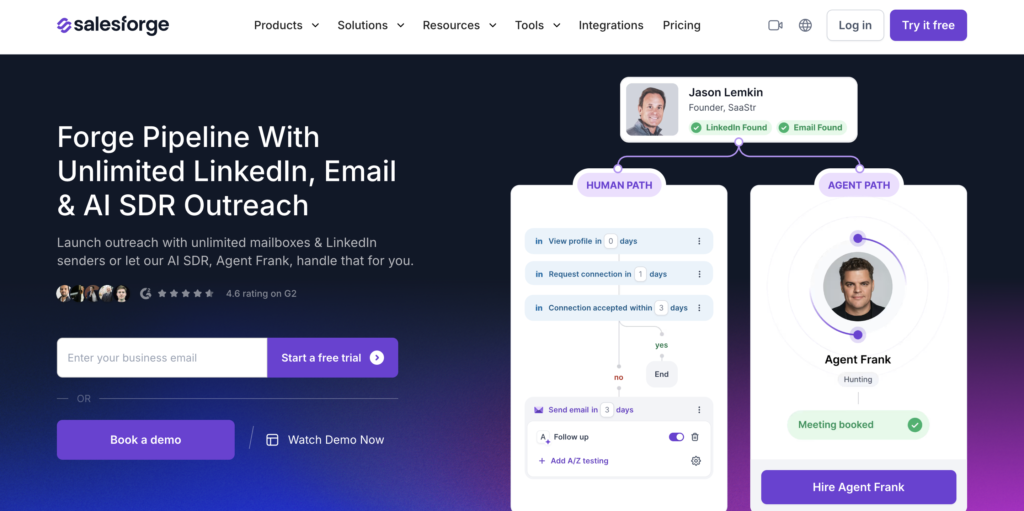
Best for: SMB and founder-led teams that want the cheapest autonomous AI SDR that still ships real volume.
Price: Agent Frank $499/mo billed annually (1,000 active contacts, 6,000 to 7,500 emails/mo), or $599/mo quarterly. Email infrastructure via Infraforge starts at $33/mo on top. Unlimited mailboxes and LinkedIn senders.
What you give it: ICP filters, product details and a chosen tone.
Free option: 14-day trial.
Salesforge‘s Agent Frank is the lowest entry price in the autonomous SDR category, which is why founder-led teams like it. Frank pulls prospects from a large built-in database, writes personalized email (the 2026 build uses Claude under the hood, per the company’s own changelog, and the copy now reads like a competent rep’s third draft), sends across rotated inboxes and triages replies. It runs on auto-pilot or co-pilot, supports 20-plus languages, and one 90-day test across three accounts logged 12,400 emails, 287 replies and 41 meetings.
The honest part
Independent testing pegs Frank at roughly a 0.6 SDR equivalent: good value, not a full replacement. It has no buying signals, so it emails ICP-fit prospects whether or not they are in-market. New inboxes need a two-week warmup before sending. And on tight, technical ICPs, the research cannot distinguish nuance well, so you get correct-but-generic copy.
Skip it if: Your ICP is narrow and technical, where generic copy loses and manual sequencing plus enrichment still wins.
11. AiSDR
Best for: Teams that want quality-over-volume AI outreach with strong per-prospect personalization.
Price: From $900/mo (roughly 1,200 messages), billed quarterly, so $2,700 upfront minimum. Grow tier around $2,500/mo. Unlimited seats, leads and mailboxes. 20% annual discount.
What you give it: A short questionnaire on your ICP and product; the team builds your personas.
Free option: No.
AiSDR researches each prospect using LinkedIn activity, company news and job history, then writes emails that reference specifics, which is why reviewers rate its personalization above most competitors. It runs across email, LinkedIn and SMS, warms your inboxes in the background, and its Live AI search builds fresh lists from a plain-English description rather than a stale static database. Users report reply rates three to four times the industry average when the ICP and offer are dialed in.
The honest part
Quarterly billing means a real upfront commitment before a single meeting. The message limit counts follow-ups, so 1,000 messages on a five-touch sequence is closer to 240 new prospects. Playbooks are pre-built with limited customization, and warmup eats the first 30 to 60 days of a quarter. The personalization is genuinely good, but you are paying for speed, and the strategy underneath still has to be yours.
Skip it if: You send under 1,000 emails a month, or you want to test cheaply before committing a quarter.
12. Regie.ai
Best for: Larger SDR teams that want AI content generation plus autonomous prospecting agents in one platform.
Price: AI SEP $180/user/mo with a 10-seat minimum ($21,600/yr floor), Force Multiplier Rep $499/user/mo with a 5-seat minimum (just under $30,000/yr floor). Annual contracts. RegieOne enterprise is custom.
What you give it: Value props, messaging, ICP criteria and custom signals to watch.
Free option: No.
Regie.ai started as an AI copywriting tool and grew into a full prospecting platform: a 220M-plus contact database, a power dialer, AI-generated sequences, and Auto-Pilot agents that source, enrich and engage continuously while human reps handle the conversations the agents surface. The Co-Pilot side helps reps personalize at scale, and the Auto-Pilot side handles the repetitive sending. Reviewers report cutting sequence creation from hours to minutes.
The honest part
The pricing floor is steep, with seat minimums that lock out small teams and a median buyer paying north of $50,000 a year once add-ons and data land. The most common complaint is AI content that reads robotic and needs editing, which erodes the time savings. And there is a real calibration phase: reviewers say getting the brand voice right takes committed effort, not a one-click setup.
Skip it if: You are a small team, you cannot hit the seat minimum, or you want fully autonomous outreach with no human review.
Step 5: Handle what comes back
Every step above creates the same result if it works: replies, meeting requests and a fuller inbox. The last step is not sending more. It is handling what comes back fast enough that warm leads do not go cold.
13. Lindy
Best for: Solo operators and small teams who want an AI agent handling inbox triage, scheduling and multi-step workflows.
Price: Plus $49.99/mo, Pro $99.99/mo, Max $199.99/mo, Enterprise custom. Credit-based, so heavy workflows consume the allotment faster. 7-day trial.
What you give it: A plain-English description of the job you want done.
Free option: 7-day trial.
Lindy builds AI agents that behave more like employees than automations. The flagship use case is email: it reads your inbox, drafts replies in your voice, flags what needs you and handles the rest. It connects to thousands of apps including Gmail, Slack, HubSpot and Salesforce, holds context across sessions, and coordinates multiple agents to finish tasks that span systems. For a founder or marketer drowning in inbox and calendar work, it can claw back real hours a week.
The honest part
The credit model is the recurring gripe: costs get unpredictable as usage scales, and complex workflows burn the allotment faster than expected. There is a learning curve to train it on your style, and it is the wrong tool for engineering workflows or anything that needs custom code. Start with three to five agents on filtered triggers and watch your burn rate before you expand.
Skip it if: You need predictable monthly costs, or your workflows are simple enough for Zapier or one of the Zapier alternatives.
The free tier reality
Free plans in this category range from genuinely useful to trials wearing a costume.
Nitrosend and Bardeen offer real free tiers you can run a workflow on: Nitrosend gives 8,000 emails to start, then 500 a month at no cost, and Bardeen’s free-forever plan handles light enrichment. Artisan’s free plan gives 300 credits a month, enough to test the interface and see the output quality before you commit to an annual contract, which is worth doing given the quality complaints. LinkFinder AI’s 25 free credits never expire but only cover a couple of lookups, and its pay-as-you-go packs from $25 are the cheaper way to test it properly.
The rest are trials or nothing. Instantly, Smartlead, Salesforge, AiSDR and Lindy offer time-boxed trials, useful but not a place to run real volume. 11x, Regie.ai, Unify and Persana gate everything behind a demo or a quote, and the autonomous SDRs in particular want an annual commitment before you can validate. When a tool will not let you test before a year-long contract, that is a signal in itself. If all you need is free sending for a small list, our free email marketing tools roundup compares the real limits.
The marketer’s playbook
Match the tool to the step where your motion breaks.
- Running newsletters and lifecycle flows. This is your marketing home base, and Nitrosend is the pick. Run your product updates, onboarding sequences and win-back flows from Claude, keep the brand voice consistent through AI memory, and pay per send instead of per contact.
- Outbound that lands on the wrong people. Fix the list before the copy. Unify when your motion is triggered by intent and you have the ops support to run Plays. LinkFinder AI when you start from LinkedIn profiles or names and need verified emails and phone numbers. Persana or Bardeen when you also want personalization data or browser-based list building.
- High-volume cold outbound on a budget. Instantly or Smartlead for the sending engine, and Salesforge if you want an agent running it end to end for around $499 a month. Agencies should look at Smartlead’s white-label dashboard.
- Enterprise outbound with a real budget. 11x if you have 50-plus seats, clean Salesforce and high-ACV deals that justify $50,000-plus a year. Regie.ai if you want AI content plus agents and can hit the seat minimums.
- Personalization-first outreach. AiSDR when message quality matters more than raw volume and you can commit a quarter. Pair it with an enrichment layer from step 2 so good copy reaches the right person.
- Inbox and workflow chaos. Lindy for inbox triage, scheduling and multi-step tasks, if you can stomach the credit model.
Three rules apply whichever tool you pick. Buy for the job you actually do, not the logo wall. Automate one real campaign first, measure it, then expand. And model your real credit burn before you sign, because every credit-based tool here gets more expensive the more you use it.
How to set up an AI-native email tool without wasting the first month
The tools that let an agent operate them reward a clear brief. Vague prompts get vague flows, the same way a vague content brief gets a vague article. Try this shape.
For an AI-native platform like Nitrosend, do not ask it to “make a newsletter.” Give it the job: “Build a four-email onboarding flow for new trial signups. Email one on day zero welcomes them and links to setup. Email two on day two shows the one feature that drives activation. Email three on day five shares a customer result. Email four on day seven offers a call if they have not activated. Match our brand voice, keep each email under 120 words, one CTA each.” Then review before it sends.
For an outbound sequence, run step 2 before anything else. Enrich and verify a test batch of 50 to 100 contacts, check a sample by hand, and only then load them into a sender or an agent. Bad data is the fastest way to burn a new domain.
For an autonomous SDR, spend your first week in co-pilot, not auto-pilot. Let it draft, and read every email. You are calibrating the model on your voice and catching the off-brand lines before they burn a domain. Once the output is consistently something you would send yourself, turn on autonomy, and keep a weekly review on the calendar. The teams that get value treat these agents as a report they manage, not a hire they forget.
How to choose
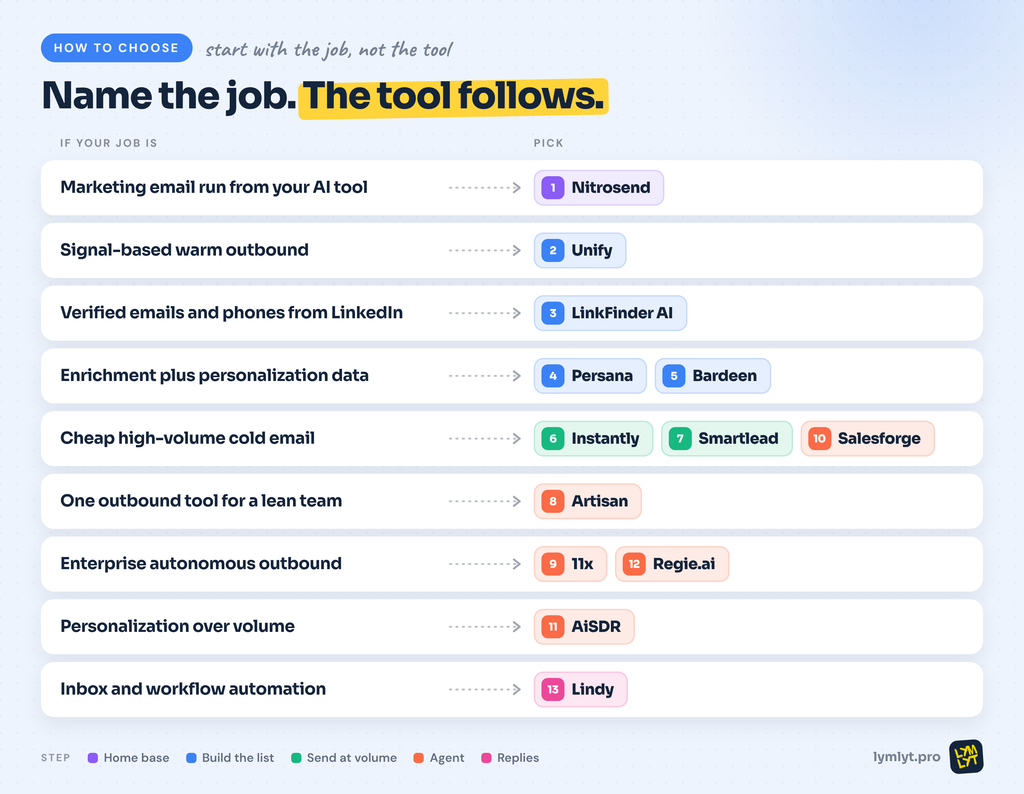
- Marketing email from your AI tool: Nitrosend
- Signal-based warm outbound: Unify
- Verified emails and phone numbers from LinkedIn profiles: LinkFinder AI
- Enrichment plus personalization data: Persana, Bardeen
- Cheap high-volume cold email: Instantly, Smartlead, Salesforge
- Enterprise autonomous outbound: 11x, Regie.ai
- Personalization over volume: AiSDR
- Inbox and workflow automation: Lindy
The bottom line
Every tool here automates the doing. None of them automate the thinking. The AI writes the email, builds the flow, sends the sequence and books the meeting. What it cannot do is decide what to say, who actually needs to hear it, and why they should care. That part is still yours, and it is still the part that decides whether any of this works.
That is the trap of AI-native email. When the tool makes sending effortless, the temptation is to send more, faster, with less thought behind it. That is exactly how you end up contributing to content blindness, the wall of generic, AI-flavored sameness that buyers have already learned to ignore. The tools got faster. The bar for what breaks through got higher, not lower. A well-written email sent to the wrong person at the wrong time is still ignored, no matter how fast the machine wrote it.
So use these tools to kill the busywork. Let the agent build the flow and run the sends. Then spend the time you saved on the message, the targeting and the offer, the things a model cannot judge for you. If you want that part handled by people who write email that actually gets read, that is what we do at LymLyt, and our blog and email writing for B2B SaaS is built around it.
Want to talk through your email stack and where AI actually fits?

Rashmita is content marketer with 8 years of experience building and growing SaaS brands. Now she tests various AI tools for marketers and shares her feedback on this blog, LinkedIn, Instagram, and YouTube.