The best AI website builders in 2026
On one side, you have the traditional AI website builders: Wix, Squarespace, Hostinger, Durable, Framer, Webflow. You type a prompt, they build a hosted site you edit visually. You do not see code. You do not own code. You pay a monthly subscription and the site lives on their servers.
On the other side, a newer wave of AI code generators: Lovable, v0, Bolt.new. Type a prompt, they generate real React or Next.js code you can deploy anywhere. You own the code. You can extend it. You can also break it, which most marketers will.
Pick the wrong category and you waste weeks. A marketer who picks Lovable for a brochure site is signing up to learn React. A founder who picks Wix for a SaaS product is hitting the ceiling on day one. So this guide is split three ways and the recommendation depends on what you actually need.
Twelve tools in total, sorted into traditional builders, design-first tools, and AI code generators, with current pricing checked in May 2026, the things marketers care about most flagged on every tool, and a plain “skip it if” line for each one. There is a dedicated section for marketers at the end with concrete picks by use case. If your search started with a different category, we also have roundups for AI tools for PPT, AI image generators, AI video generators, and a Top 100 AI Tools list.
What “build a website in 30 seconds” actually means in 2026
Honest version first. Yes, the AI can generate a site in under a minute. Yes, it will look fine. No, it is not the site you will actually launch.
Almost every user lands in the same place after the first session. The AI gets you from a blank page to a structured starting point in minutes, and that is the gift. The next several hours are the real work: editing the AI copy so it sounds like your brand instead of a generic SaaS, replacing the stock images, fixing the bits the AI got wrong about your business, adding the pages it forgot, connecting your domain, setting up forms, plugging in analytics. The honest time from prompt to a site you would put on a business card is closer to a full day, not a minute.
So the right question to ask any of these tools is not “can it generate a site in 30 seconds.” They all can. The question is whether the draft is close enough to your finished site that the editing takes less time than starting fresh in Webflow or hiring a freelancer. For a small service business or a startup landing page, the answer is usually yes. For a brand-critical company site that has to convert, the answer is “it gets you 60 percent there, you still need to do the rest.”
With that calibration set, the rest of this guide tells you which tool to pick for which job.
What marketers should actually look for
The criteria that matter once you actually use one of these to launch a site:
Time to a real, branded site. Generic templates do not count. The honest measure is how long it takes to ship a site that looks like your brand, with your copy, your photos, and the right pages. Marketing pages always claim “minutes.” Plan for a day for anything you would link in your bio.
Design quality after editing. Every tool can hit “fine.” A few can hit “good.” For a marketer, a site that makes you want to apologize for it kills conversion. Test design on the boring inside pages, the careers page, the contact page, not the hero shot.
SEO basics. Clean URL structure, real meta titles and descriptions, schema markup, page speed, mobile responsiveness, alt text controls, structured headings, an XML sitemap. Some AI builders handle all of this. Some bury it. Test before you commit.
Blog and CMS. If content marketing is part of your job, you need a CMS that scales past 20 posts. Some AI builders ship a basic blog. Some require you to add a separate tool. WordPress and Webflow are the strongest here.
Forms, lead capture, and your marketing stack. A marketing site has to plug into HubSpot, Mailchimp, Calendly, Google Analytics, GTM, Hotjar, and whatever else your team runs. Native integrations save real time. Tools that need a Zapier middleman for every form add ongoing cost and ongoing fragility.
Brand controls. Upload fonts, colors, and a logo once and have them apply across every page. Most paid plans do this. Free plans usually do not.
Iteration speed. Can you ship a campaign landing page in an hour? Can you A/B test a hero section? Can you duplicate a working page and edit one block without breaking the original? Marketers ship a lot of pages. The tool either supports that or fights it.
Hosting and ownership. This is the underrated one. Hosted builders (Wix, Squarespace, Durable, Hostinger) lock the site to their platform. You cannot move it. AI code generators (Lovable, v0, Bolt) give you a codebase you can deploy anywhere. Webflow sits in the middle, hosted but with an export option. Decide upfront which side of that line you want to be on, because moving later is painful.
Price over time, not first month. Most AI builders advertise an intro rate (Hostinger at $1.79/month, for instance) and quietly raise it on renewal. Look at the second-year price, plus the cost of the add-ons you will need (domain, forms, ecommerce, AI credits).
The 12 tools at a glance
| Tool | Category | Best for | Starting price | Free option | Owns the code? |
|---|---|---|---|---|---|
| Wix AI | Traditional | All-purpose small business sites | $17/mo Light, $29/mo Core | Yes, with ads | No, hosted |
| Squarespace AI | Traditional | Design polish without effort | $16/mo Light, $27/mo Core | Trial only | No, hosted |
| Hostinger AI | Traditional | Cheap, simple business sites | ~$2.99/mo intro, ~$10.99/mo renewal | Trial only | No, hosted |
| Durable | Traditional | Service business sites in under a minute | $15/mo Starter, $25/mo Business | Yes, limited | No, hosted |
| 10Web | Traditional | AI for WordPress | From ~$10/mo | Trial | Partial, WordPress files |
| B12 | Traditional | Service businesses with human review | From $42/mo, full service from $399/mo | Free draft | No, hosted |
| Framer AI | Design tool | Polished marketing sites and landing pages | Free, paid from ~$10/mo | Yes, up to 1,000 pages | No, hosted |
| Webflow AI | Design tool | Structured marketing sites with a real CMS | Free, paid from ~$14/mo | Yes, with subdomain | Partial, you can export |
| Relume | Design tool (planning) | AI sitemaps and wireframes before building | Free plan, Starter ~$40/mo | Yes | Outputs to Webflow or Figma |
| Lovable | AI code generator | Marketing sites that may grow into apps | Free, Pro $25/mo | Yes, 5 messages/day | Yes, real code |
| v0 by Vercel | AI code generator | Custom landing pages and components | Free, Premium ~$20/mo | Yes, limited | Yes, real code |
| Bolt.new | AI code generator | Full-stack prototypes and apps | Free 1M tokens, Pro $20/mo | Yes, generous | Yes, real code |
Traditional AI website builders
This is the right category for most marketers most of the time. Type a prompt or answer a few questions, get a hosted site you edit visually, ship it. No code. The tradeoff is that you do not own the code and you cannot move the site easily later. For a brochure site, a service business, or a startup’s first marketing site, that is usually a fair trade.
1. Wix AI
Quick facts
- Best for: all-purpose small business sites and marketers who want a wide range of templates and apps
- Price: Free with Wix ads and a Wix subdomain; Light $17/month, Core $29/month, Business $36/month, Business Elite $159/month
- What you give it: answers to a guided onboarding (business type, name, what you do)
- Time to a live site: about 5 to 15 minutes through the guided flow
- Learning curve: low, the editor is genuinely simple
- Owns the code: no, fully hosted on Wix
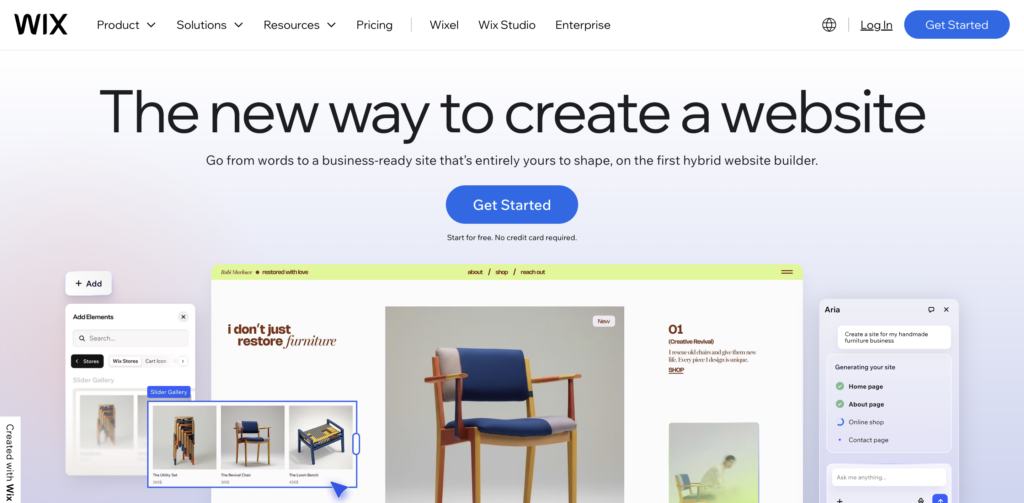
Wix has the largest market share in this category, reportedly around 45 percent, and 280 million users. The AI builder (sometimes called Wix ADI, now folded into the broader Wix Studio platform) asks you guided questions and produces a complete site with copy, images, and a working contact form. The library of templates and add-on apps is genuinely the widest in this list, which matters for marketers who need bookings, ecommerce, memberships, or specific industry features.
Reviews credit the breadth and the ease. Honest complaints note that Wix-built sites can be heavier and slower than the competition, which affects SEO and ad quality scores. The editor’s freedom is also a double-edged sword, it is easy to make design choices that look amateur.
Skip it if: page speed and a polished design language matter more than feature breadth. Wix sites do everything, but they often look like Wix sites.
2. Squarespace AI
Quick facts
- Best for: marketers who want design polish without learning a tool
- Price: no permanent free tier; Light $16/month, Core $27/month, Business $32/month, Business Elite $159/month
- What you give it: a few prompts about your business and goals (the Blueprint AI assistant)
- Time to a live site: about 10 to 20 minutes, including content edits
- Learning curve: low to medium, the editor is more restrictive but harder to mess up
- Owns the code: no, fully hosted on Squarespace
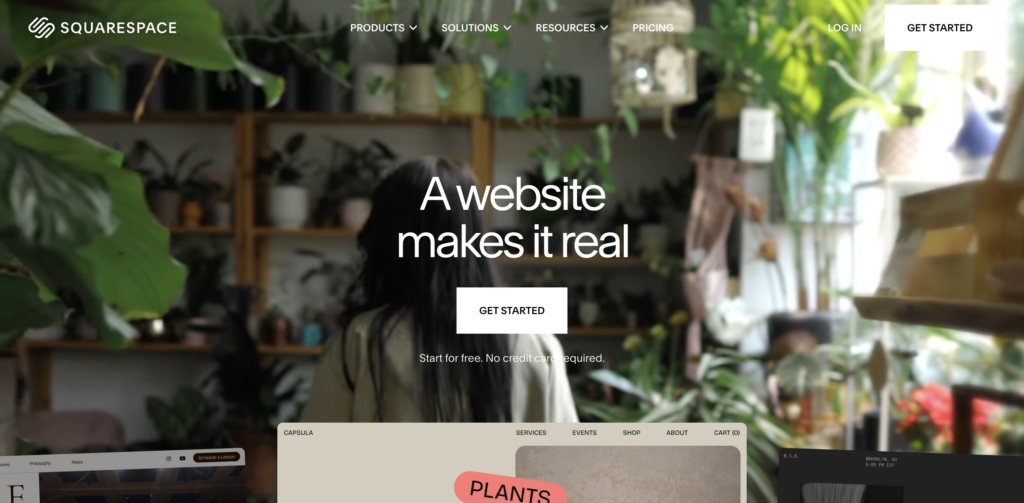
Squarespace, through its Blueprint AI assistant, produces some of the best default design in this category. The templates are restrictive on purpose, you cannot place elements anywhere, which means even a non-designer cannot really make an ugly site. For a marketer who wants a site to look intentionally designed without paying a designer, this is the cleanest pick in the traditional builders group.
Reviews credit the design and the calm editor. Honest complaints note that there is no permanent free plan, customization is more limited than Wix (which is part of the appeal but also a limit), and the prices have crept up.
Skip it if: you need deep customization, an extensive app marketplace, or a fully free plan to test. Squarespace trades flexibility for polish on purpose.
3. Hostinger AI Website Builder
Quick facts
- Best for: the cheapest credible AI-built business site
- Price: intro pricing from about $2.99/month, jumping to around $10.99 to $12.19/month on renewal
- What you give it: a business name and a short description; the AI fills in the rest
- Time to a live site: under a minute for generation, an hour or two for real editing
- Learning curve: very low
- Owns the code: no, hosted on Hostinger (with hosting and a domain bundled in)
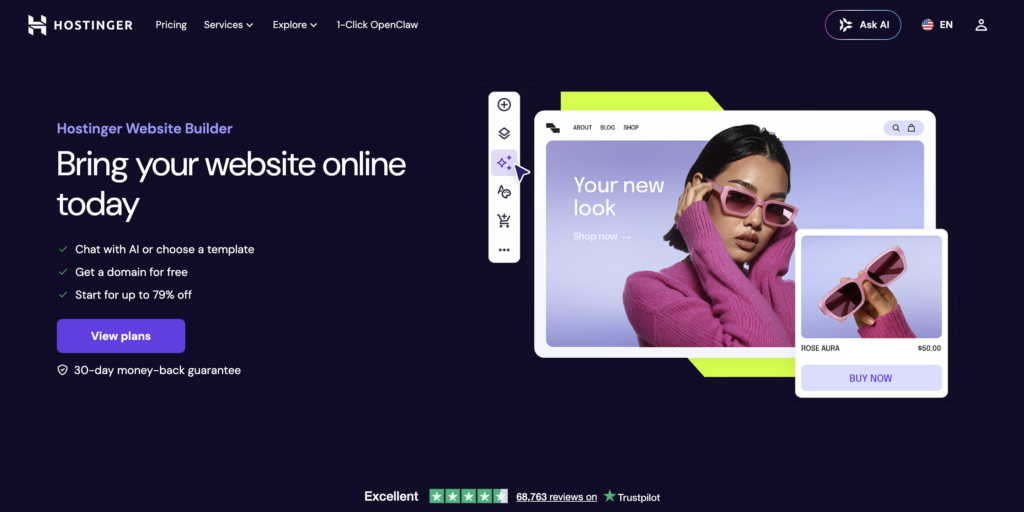
Hostinger’s AI website builder bundles AI generation, hosting, and a domain into one of the lowest prices in the market. You answer a few questions and the AI produces a complete site, copy, stock images, contact form, in well under a minute. For a small business or freelancer that needs a credible web presence without spending real money, it is hard to beat on price.
Reviews credit the value and the speed. Honest complaints note that the design output is generic and templated, customization is shallow compared to Wix or Squarespace, and the intro price jumps significantly at renewal, which is the standard hosting industry pattern but still worth flagging.
Skip it if: design distinctiveness matters or you do not want to commit annually. Hostinger gives you a working site for almost nothing, but the “almost nothing” sites also tend to look like each other.
4. Durable
Quick facts
- Best for: local service businesses (plumbers, photographers, consultants) that need a site fast
- Price: Starter around $15/month, Business around $25/month
- What you give it: your business type and location; the AI guesses the rest
- Time to a live site: the claimed 30 seconds is actually accurate for the first draft
- Learning curve: the lowest in this list, harder to get wrong than easier tools
- Owns the code: no, hosted on Durable
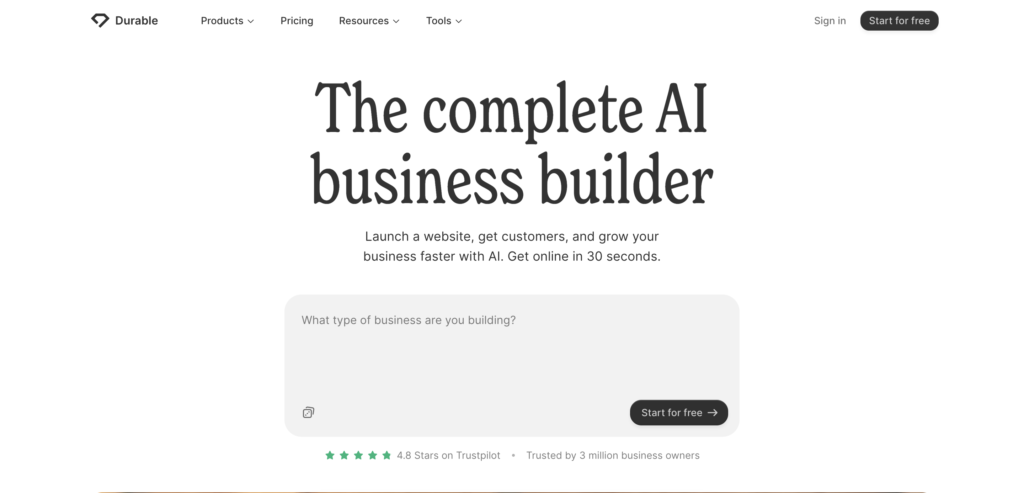
Durable competes on speed and on simplicity for non-technical service business owners. The AI generates an entire small-business site in under a minute, with copy and stock imagery, and ships with built-in CRM, invoicing, and basic marketing tools. For a one-person service business that needs a site, an invoice tool, and a way to capture leads in a single subscription, the all-in-one bundle is a real value.
Reviews from solo operators praise the speed and the all-in-one approach. Honest complaints note that the design quality is below Squarespace and Framer, the AI copy is plain, and as your business grows past the solo-operator phase the tool runs out of room fast.
Skip it if: you are building anything more sophisticated than a small service business. Durable is laser focused on that segment and the polish drops off outside it.
5. 10Web
Quick facts
- Best for: marketers and agencies who want AI generation but need to end up in WordPress
- Price: AI Starter from around $10/month, business plans higher, agency plans available
- What you give it: a description of your business; the AI builds the site on top of WordPress and Elementor
- Time to a live site: about 5 to 10 minutes for the AI generation
- Learning curve: low to medium, harder than Hostinger but you get full WordPress underneath
- Owns the code: partially, the site is WordPress and you can export and self-host the files
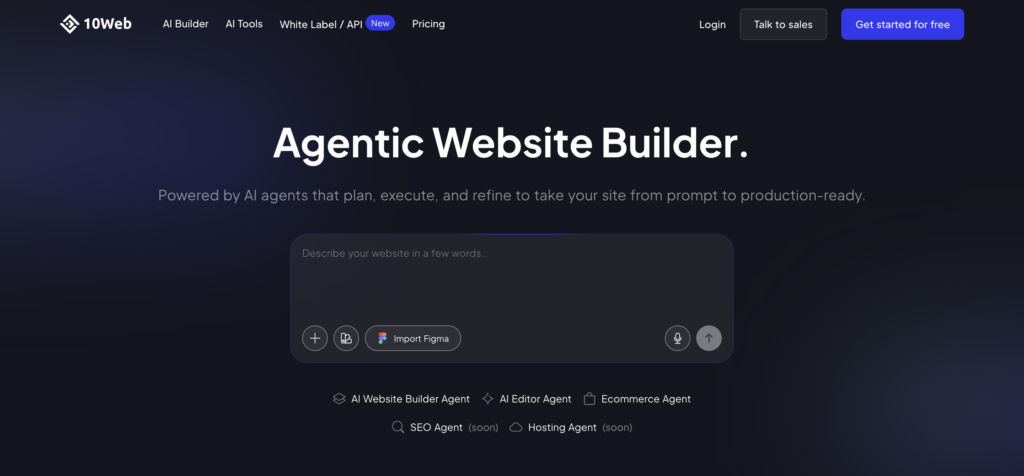
10Web is the answer for the large share of the market that has decided their site needs to live in WordPress. The AI generates a complete WordPress + Elementor site from a prompt, hosts it on managed infrastructure, and gives you the full WordPress dashboard underneath, which means access to the entire WordPress plugin ecosystem (Yoast for SEO, RankMath, WP Forms, WooCommerce, and so on). For a B2B SaaS marketer whose stack assumes WordPress, this combines AI speed with familiar tooling.
Reviews from WordPress shops credit the speed and the plugin ecosystem. Honest complaints note that the design output is good, not great, and that the managed hosting locks you in unless you take the export route.
Skip it if: you have no reason to be on WordPress. 10Web’s whole value is the WordPress underneath. Without that need, simpler hosted builders will move faster.
6. B12
Quick facts
- Best for: service businesses (law firms, accountants, agencies) that want AI-built sites with human review
- Price: AI plans from around $42/month, full AI-plus-human service tiers from around $399/month
- What you give it: business type and industry; B12 has industry-specific templates and structures
- Time to a live site: under a minute for the AI draft, days for the human-reviewed version
- Learning curve: low
- Owns the code: no, hosted on B12
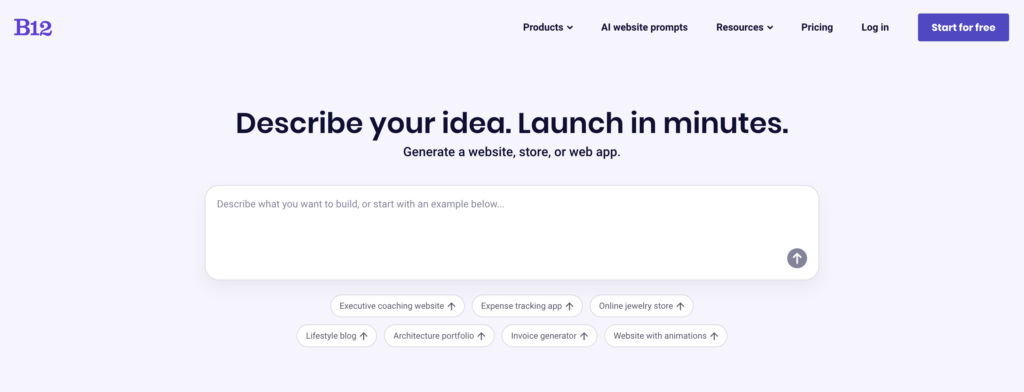
B12 is the priciest tool in this category and it knows it. The pitch is that the AI does the first draft, then human designers and copywriters polish the site for you, with ongoing maintenance included. For a professional services business that does not want to manage a website and is willing to pay for that, B12 is the cleanest hands-off option. It is built specifically for law firms, accounting firms, consultancies, and similar service industries.
Reviews from professional services credit the hands-off model and the industry-specific templates. Honest complaints note that the price is high relative to the alternatives, and that the AI-only tiers are not significantly better than cheaper options.
Skip it if: you want to manage the site yourself, or you are not in a professional services industry. B12 is built for a specific buyer, and the price only makes sense for that buyer.
AI-driven design tools
This middle category is built for people who want more design control than the all-in-one builders give you, with AI as an assistant rather than the whole show. For a marketer who cares about brand and is willing to spend a few hours rather than a few minutes, this is where the best-looking marketing sites get built.
7. Framer AI
Quick facts
- Best for: polished marketing sites, landing pages, and portfolios where design quality matters
- Price: free plan up to 1,000 pages with a Framer subdomain; Mini around $5/month, Basic ~$10/month, Pro ~$30/month
- What you give it: a prompt for the initial generation, then visual editing in the Framer canvas
- Time to a live site: 30 minutes to a few hours for a polished marketing site
- Learning curve: medium, similar to Figma if you know it, steeper if you do not
- Owns the code: no, hosted on Framer, but the design quality is high
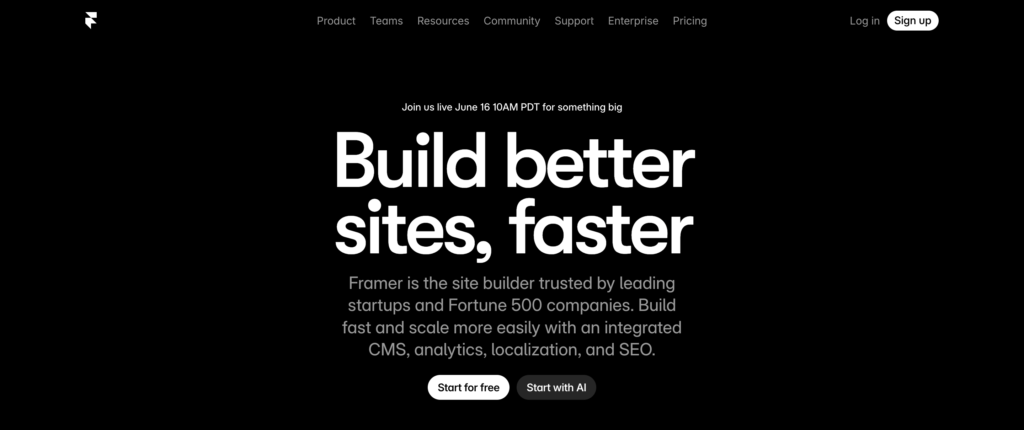
Framer produces the best-looking output in this list, by a noticeable margin. It started as a design tool and added AI generation, which means the design vocabulary is far richer than the all-in-one builders. For a marketer or designer who wants a site that looks intentional, with real typography, real animation, and real attention to detail, Framer is the most defensible pick. Its free plan is also one of the most generous, up to 1,000 pages on a Framer subdomain.
Reviews credit the design quality and the animation capabilities. Honest complaints note that the learning curve is real, the AI is more of a starting layout helper than a “build my whole site” tool, and the CMS is improving but not yet at Webflow’s level.
Skip it if: you have no design instincts or no time to learn the editor. Framer rewards taste and time. Without either, the AI-built starter site does not bridge the gap.
8. Webflow AI
Quick facts
- Best for: marketing sites that need a real CMS, structured content, and room to grow
- Price: free with a Webflow subdomain; paid Basic from around $14/month, CMS $23/month, Business $39/month
- What you give it: prompts for AI Site Designer (layouts and sections), then manual customization
- Time to a live site: several hours for a polished site, a day for a full site with CMS
- Learning curve: the steepest in this category, a real tool not a one-click generator
- Owns the code: partially, you can export clean HTML/CSS/JS even though most teams use Webflow’s hosting
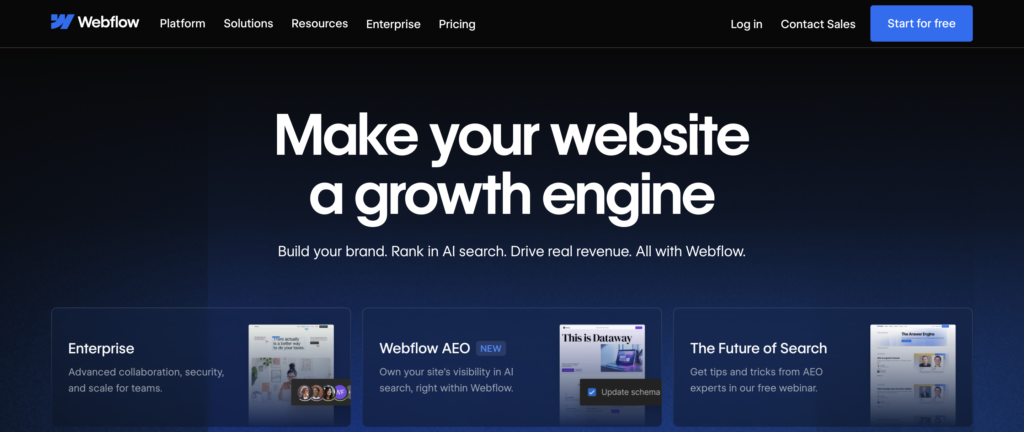
Webflow is the designer’s CMS, and the AI layer added to it is genuinely useful for accelerating the start of a project, but Webflow still works the way Webflow works. You need to understand classes, layout structures, and how the CMS collections fit together. For a marketing team building a real content engine, with a blog, a resource library, case studies, and ongoing publishing, Webflow’s CMS is among the best in the world. For a one-page brochure site, it is overkill.
Reviews from marketing teams credit the CMS power and the design control. Honest complaints note that the learning curve is significant, the AI features are still basic compared to AI-native competitors, and the pricing climbs once you add CMS and ecommerce.
Skip it if: you want AI to do the work for you. Webflow’s AI assists. The designer is still you.
9. Relume
Quick facts
- Best for: the planning step before you build, sitemaps and wireframes from a prompt
- Price: free plan, Starter around $40/month, Pro $80/month
- What you give it: a business description; Relume returns a sitemap and wireframe set
- Time to a sitemap: minutes; the actual site still gets built elsewhere
- Learning curve: low for the AI generation, medium if you go on to build in Webflow
- Outputs: Webflow code, Figma files, or component code
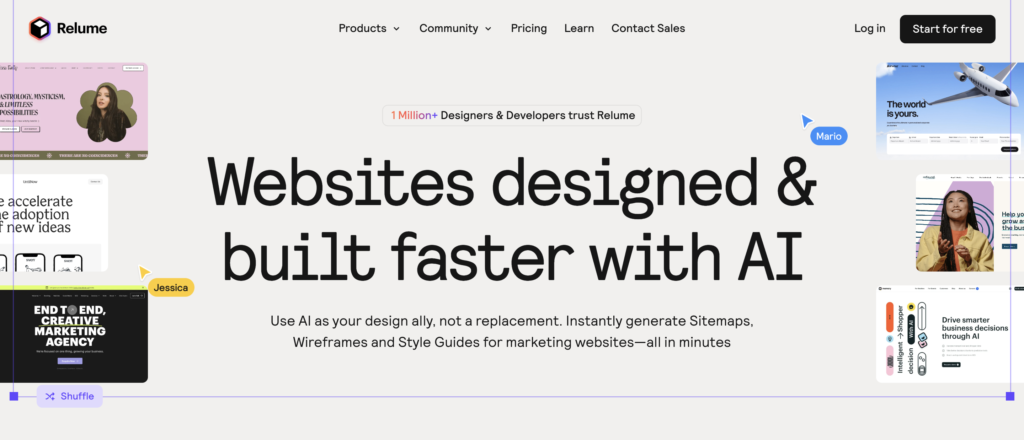
Relume is in this list because most people skip the planning step and start building, then waste days reworking the structure. Relume’s AI takes a business description and produces a full sitemap and a complete set of wireframes for every page, then exports those wireframes to Webflow as a working starting build, or to Figma for design polish. For a marketing team that knows what to build but not how to structure it, Relume saves the first painful week of any website project.
Reviews from web design shops credit the time saved on planning. Honest complaints note that the wireframes are generic without real customization, and that Relume is a starting point, not a finishing tool.
Skip it if: you already have a clear sitemap and a structure you trust. Relume’s value is the planning. Without that need, you are paying for a step you did not need.
AI code generators
This newer category is the one most articles get wrong. These tools generate real, working React or Next.js code from a prompt, and you can deploy that code anywhere, your own hosting, Vercel, Netlify, a custom domain on your own infrastructure. The upside is that you own the code. The downside is that fixing it when it breaks, or extending it past the initial generation, often requires understanding code. For marketers, these are landing page and prototype tools, not brochure site replacements.
10. Lovable
Quick facts
- Best for: marketing sites that may grow into apps, or fast custom landing pages
- Price: free with 5 daily messages, Pro $25/month for 100 credits a month
- What you give it: a prompt; the more detailed, the better
- Time to a live site: about a minute for the initial generation, longer if you iterate
- Learning curve: low to start, climbs steeply once you want to fix or extend things
- Owns the code: yes, real React code with Supabase backend
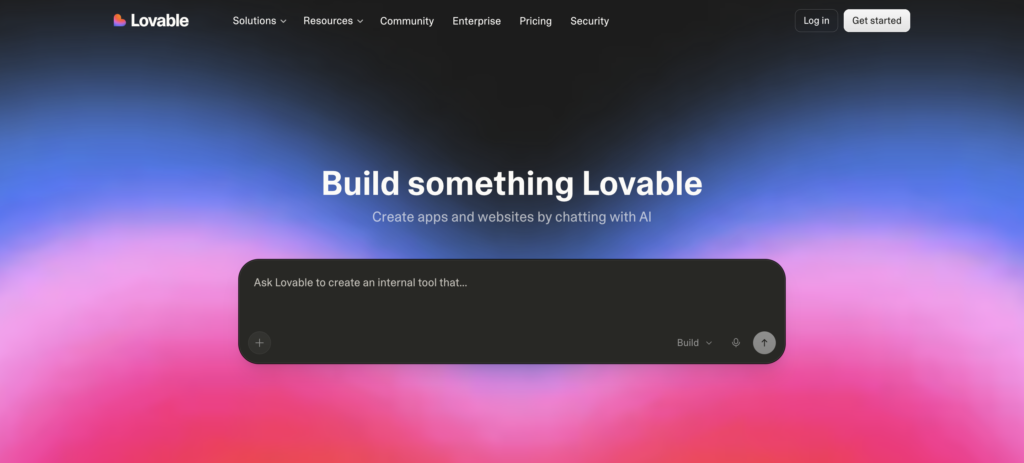
Lovable is the breakout AI code generator of 2025 and 2026. The company reportedly hit $200 million in annual revenue in 12 months, the fastest growth in European startup history. The reason: it generates a working full-stack web app from a single prompt, including authentication, database, and a real deployable codebase. For a startup that wants both a marketing site and a working app from the same tool, it is genuinely capable.
Reviews praise the speed and the depth of what it produces. Honest complaints flag two things. The credit system on the $25/month plan is around 100 credits, which is roughly 20 to 30 real prompts before you are paying for top-ups. And the code, while real, often needs hand-cleaning before it is production-ready, which is a problem for marketers without dev help.
Skip it if: you want a brochure site, or you do not have a developer to clean up edge cases. Lovable’s strength shows up when the “website” is really the early version of a product.
11. v0 by Vercel
Quick facts
- Best for: custom landing page components and frontend UI generation for marketers comfortable with light code
- Price: Free with limits, Premium around $20/month, Team and Enterprise above
- What you give it: a prompt or a screenshot of a design; v0 returns React components
- Time to a component: seconds for individual elements; a landing page takes a few prompts and iterations
- Learning curve: medium, the output is real code you copy into a Next.js project
- Owns the code: yes, copy-pasteable React, Next.js, Tailwind, shadcn/ui
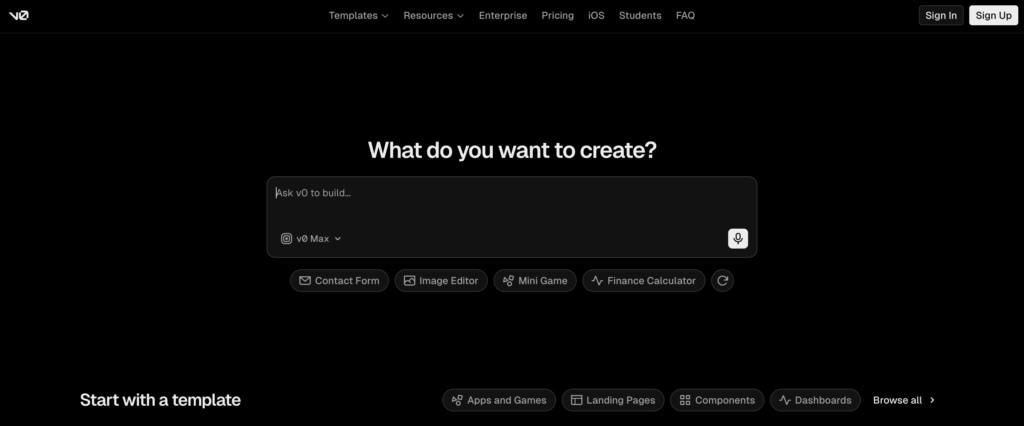
v0 is Vercel’s AI tool for generating production-quality frontend components. Where Lovable builds whole apps, v0 builds individual pieces, a hero section, a pricing table, a feature grid, that you compose into a page. The output uses real-world libraries (Tailwind, shadcn/ui) that a developer would pick anyway, which means the components fit cleanly into a real codebase. For a marketing team with a developer on call, v0 is a fast way to get high-quality landing page sections without designing from scratch.
Reviews from developers praise the code quality and the component library. Honest complaints note that it is not a finished-site tool, you need someone who can plug the components into a Next.js project to ship anything.
Skip it if: you cannot read or copy React code, or you do not already have a developer-friendly project to plug components into. v0 is a developer accelerator, and marketers without that support find it harder to use than the marketing claims suggest.
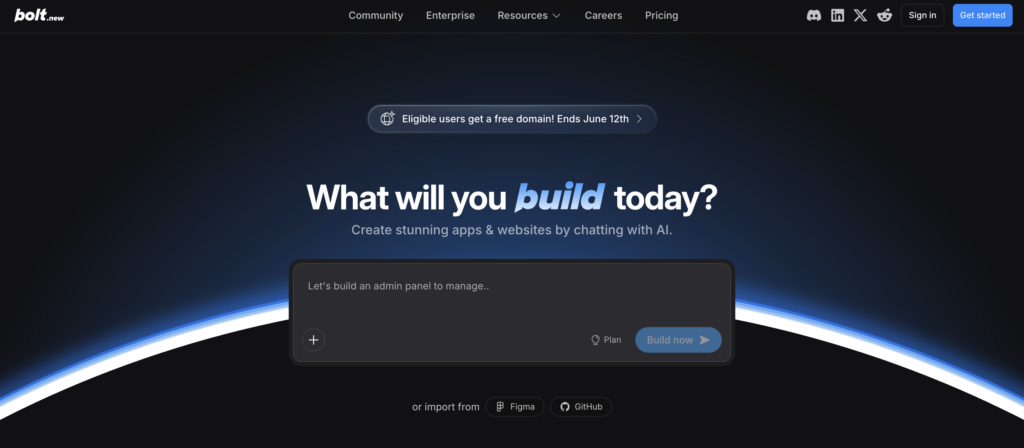
12. Bolt.new
Quick facts
- Best for: full-stack prototypes and apps, with a generous free tier
- Price: free with 1 million tokens per month, Pro around $20/month for 10 million tokens
- What you give it: a prompt; Bolt builds and runs a full Node.js project in your browser
- Time to a live site: about a minute for the initial generation, longer for real iteration
- Learning curve: medium to high, you get a full coding environment to work in
- Owns the code: yes, real Node.js project
Bolt.new is the closest direct competitor to Lovable, with a similar pitch: type a prompt, get a working full-stack project. The differentiator is the in-browser dev environment. You can edit code directly in Bolt’s interface, run it, iterate, and deploy. The free tier of 1 million tokens a month is one of the most generous in this group, enough for serious prototyping.
Reviews credit the dev environment and the framework flexibility. Honest complaints note that the tokens disappear faster than you expect on real projects, and that the same caveat as Lovable applies: the generated code often needs cleanup before production use.
Skip it if: you want a hosted, no-code brochure site. Bolt is for prototyping and apps, not for a small business homepage.
The free tier reality
Free plans on AI website builders are mostly trials in disguise. A few are genuinely usable. Most are not. The honest sorting:
Genuinely useful free tiers. Framer’s free plan (up to 1,000 pages on a Framer subdomain) is the most generous in this list. Webflow’s free plan (one project with a Webflow subdomain) is enough for a real test. Wix’s free plan (with Wix ads and a Wix subdomain) is usable, just ugly with the ads. Durable’s free plan generates a complete starter site you can edit before paying. Bolt’s 1 million tokens a month free tier is enough for substantial prototyping.
Trial dressed as free. Squarespace, Hostinger, and B12 do not have permanent free plans. They have time-limited trials, sometimes with a free draft you cannot publish.
Free with a fast ceiling. Lovable’s 5 daily messages, v0’s limited generations, Relume’s free plan, all genuinely free, all run out quickly on a real project.
The practical rule: if you want to test a tool, the free tier is almost always enough for a one-day evaluation. If you want to actually ship a real business site for free, only Framer’s free plan really makes that possible without compromising on look (the Wix subdomain and ads are not OK for most businesses).
The marketer playbook: what to actually pick
Marketers were the audience this article was written for, so this section is the one to read if you skipped to the end. By marketer use case, not by alphabetical tool ranking.
For a B2B SaaS marketing site (homepage, product, pricing, blog, resources). Webflow or Framer, in that order. Webflow if you need a serious CMS and have or can get someone who knows the tool. Framer if design quality is the highest priority and the CMS needs are lighter. Both will require real time, but a marketing site is a long-term asset and the polish pays back.
For a campaign landing page you need today. Framer or v0. Framer if you want to ship without a developer. v0 if you have one and want something more custom. Avoid Wix and Hostinger here, their landing pages tend to look like Wix landing pages, which kills ad quality and conversion.
For a one-person service business or freelancer. Durable or Hostinger. Durable if you also want CRM and invoicing in the same subscription. Hostinger if you only need the site and want the cheapest credible option. Skip the design-tool category here, the polish is wasted on a site that needs to be live in an hour.
For a content marketing-led blog. WordPress through 10Web, or Webflow. WordPress remains the standard for serious content programs because the SEO plugin ecosystem (Yoast, RankMath) and the editorial tooling are mature. Webflow is the design-forward alternative if your team is small and the CMS controls feel manageable.
For a startup launching its first marketing site quickly. Framer for the polish, or Lovable if the site is really the front door to a product. Avoid B12 (overkill on price), avoid Wix (looks templated), avoid v0/Bolt (too much developer overhead for a first site).
For a B2C ecommerce site. None of these are the right tool. Use Shopify with its own AI features. Listed here only to save you from forcing a fit. Wix has ecommerce but it is heavier than Shopify for stores past 20 products.
For a professional services business that wants to never touch the site. B12, paying for the full AI-plus-human service tier. The price only makes sense if you genuinely will not maintain the site yourself, but if that is true, the human-reviewed model pays back in time saved.
For a marketer who needs to A/B test landing pages constantly. Framer or v0. Both let you duplicate a page in seconds and edit one variant. Wix and Squarespace can do it, but the duplication and version management is heavier.
Across all of these, three rules that apply regardless of tool:
- Pick the cheapest tool that hits “good enough” rather than the most powerful tool you might grow into. Switching is painful, but switching from a hosted site to another hosted site is far less painful than learning Webflow when Wix would have done the job.
- Test the integrations on day one, not the night before you ship. Forms, HubSpot, GA4, Calendly, GTM. Get them all working in a test page before you commit the brand site.
- Buy the domain separately from your builder. Most tools bundle a free domain on the first year. Owning the domain through Cloudflare or Namecheap gives you portability later, when you switch tools, which you will.
How to brief the AI for a usable site
This is the part most marketers skip and the reason most AI-built sites look generic.
Lead with your business and audience, not with “build me a website.” The worst prompt is “build a website for my company.” A better prompt is “build a marketing site for a B2B SaaS company that sells content marketing services to heads of marketing at 50 to 500 person SaaS companies, the goal is to book discovery calls, our differentiator is X.”
Tell it what pages you want. Home, about, services or products, pricing, blog, case studies, contact. Pages the AI does not know to make will not exist in the output.
Tell it your brand voice. “Direct, no fluff, contrarian, no buzzwords” produces very different copy than the default SaaS-speak. Specify it.
Give it real proof points, not placeholders. Customer names, real metrics, real quotes. The AI cannot guess these. Without them, you get generic stock language that you will rewrite anyway.
Upload your brand inputs before you generate. Most paid plans accept fonts, colors, and a logo. Do that on day one or you will redo the design pass by hand.
Plan to write the copy yourself. AI-generated marketing copy is the giveaway. It reads like every other SaaS site. Use the AI to generate the structure and a placeholder, then rewrite the copy in your voice. That single step is the biggest lift in quality you can make.
For learning resources, every paid tool here has official docs and templates that are far better than third-party tutorials. Wix Learn, Squarespace Help, Hostinger Tutorials, Framer Academy, Webflow University (this one is genuinely excellent and free), and the docs for Lovable, v0, and Bolt all cover the practical setup.
How to choose
A short version of all the above:
- Cheapest credible site: Hostinger.
- Fastest for a service business: Durable.
- Best free plan: Framer.
- Best design out of the box: Squarespace or Framer.
- Best CMS for serious content marketing: Webflow or WordPress through 10Web.
- Best for B2B SaaS marketing sites: Framer or Webflow.
- Best for full WordPress: 10Web.
- Best for service businesses that do not want to touch the site: B12.
- Best for a site that may grow into a real app: Lovable.
- Best for custom landing pages with a developer on call: v0.
- Best for full-stack prototypes: Bolt.
- Best for the planning step before any of the above: Relume.
Then test before you commit. Almost everything here has a free tier or trial. Build one real page, the one you actually need first, and see how it feels after you have edited it for real use. The honest test is the editing step, not the first generation.
The bottom line
AI website builders in 2026 are genuinely good. A marketer can have a respectable live site in a day, not a month. A solo founder can have a working landing page in an hour. That is real, and worth paying for in most cases.
The honest part most articles skip is that the tools save you the build, not the thinking. The hero copy that converts is still the one you wrote. The case study that makes a buyer pick you is still the one you reported. The blog that drives organic traffic is still the work of having something true to say.
That is the same point we keep coming back to in our writing on content blindness, the idea that audiences stop noticing content because there is simply too much of it. AI website builders make it easier than ever to add another generic site to that pile. Use them to ship the structure, then put that saved time into the message and the writing that actually moves your prospects. That is the part still worth being slow about.
If you want help with the message side of your site, see what we do or book a call.

Rashmita is content marketer with 8 years of experience building and growing SaaS brands. Now she tests various AI tools for marketers and shares her feedback on this blog, LinkedIn, Instagram, and YouTube.