Best AI image generators for marketer: free and paid options + prompting tips
The tool that sat at number two on this list last year is gone.
DALL-E is dead. OpenAI pulled DALL-E 2 and DALL-E 3 off the API on May 12, 2026. The endpoints stopped responding. ChatGPT had already swapped users onto GPT Image months earlier, in December 2025, without telling most of them. If you built a workflow on DALL-E and stopped paying attention, that workflow broke while you were doing something else.
That is the whole problem with this category right now. It is not that the tools are bad. They are astonishing. It is that the tool you picked eighteen months ago has shipped two model versions, rewritten its pricing page, and possibly stopped existing. Marketers do not have the appetite to re-evaluate an image stack every quarter, and yet that is the actual cadence.
So this is a rewrite, not a refresh. Half the tools on the old version of this list are dead, deprecated, or no longer worth your money. Here is what replaced them, what each one is honestly good at, and what you should stop paying for.
What “AI image generator” actually means in 2026
There is a distinction that matters more this year than it ever has, and most roundups blur it.
A model is the network that turns your prompt into pixels. GPT Image 2. FLUX.2. Seedream 4.5. Nano Banana Pro.
A generator is the product wrapped around one or more models: the interface, the credits, the editor, the asset library, the brand controls.
For years these were the same thing. Midjourney ran Midjourney. DALL-E ran inside ChatGPT. You picked a tool and you got its model.
That stopped being true. The best products now route your prompt to whichever model fits the job, because no single model wins every category and the leaderboard reshuffles every few months. Adobe Firefly now hosts partner models it did not build. Leonardo surfaces Nano Banana Pro and Seedream inside its own interface. DeeVid bundles Seedream and Nano Banana behind a single editor.
Which means the real question is not “which model is best.” It is “do I want to pick models, or do I want a product that picks for me?”
If you are a marketer producing two hero images a week, a blog header, and a set of social cards, you almost certainly want the second thing. Model-shopping is a hobby. The people who genuinely need to know that FLUX.2 renders skin texture better than Imagen are building products, not campaigns.
One more thing worth saying out loud: the quality ceiling is no longer the constraint. Every tool on this list can produce something that looks professional. The constraints now are text rendering, brand consistency across a set, commercial rights, and how many attempts it takes to get the shot. Pick for those.
What marketers should actually look for
Not the feature list on the pricing page. These:
Text inside the image. Two years ago every model mangled it. Now Ideogram, GPT Image 2, Seedream, and Nano Banana Pro all handle short text. If your output is social cards, posters, or ad creative with a headline in it, this is the single biggest capability gap between tools.
Consistency across a set. One good image is easy. Twelve images that look like they belong to the same campaign is hard. Reference image support, character reference, and style locking are what you are buying.
Commercial rights, in writing. Most paid plans allow commercial use. Most free plans do not, or bury it. Recraft’s free tier gives you no commercial rights and no ownership of what you make. Read the tier, not the homepage.
Legal cover, if you do client work. Adobe Firefly is still the only option with actual indemnification. Everything else is terms of service and hope. Worth knowing that the Disney and Universal copyright suit against Midjourney, consolidated with Warner Bros., is still in discovery as of July 2026.
Cost per usable image, not cost per image. A model that costs 15 credits and nails the brief in one attempt beats a 3-credit model that needs eight tries. Price by attempts.
Editing, not just generating. Ninety percent right is the normal outcome. Whether you can fix that last ten percent inside the tool, or have to reroll and pray, decides how much time this actually saves you.
Where the file goes next. If your image becomes a video, a vector, a Figma component, or a Photoshop layer, that pipeline matters more than the render quality.
Speed of iteration. Not generation speed. Iteration speed. How fast can you go from “not quite” to “that’s the one.”
The 13 tools at a glance
| Tool | Category | Best for | Price | Free option |
|---|---|---|---|---|
| Nano Banana Pro | Frontier model | Product shots, editing, multilingual text | Free via Gemini, paid via Google AI Studio | Yes, watermarked |
| GPT Image 2 | Frontier model | Infographics, text-heavy graphics, conversational editing | ChatGPT Plus $20/mo, API ~$0.04 to $0.35/image | Limited, free ChatGPT tier |
| Midjourney | Frontier model | Art-directed hero images, mood boards | $10 to $120/mo, 20% off annual | No |
| FLUX.2 | Frontier model | Photorealism, open weights, API volume | API from ~$0.014/megapixel | Yes, FLUX.2 dev self-hosted |
| Seedream 4.5 | Frontier model | Product and packaging shots with text, 4K | ~$0.03 to $0.04/image via API | Via partner platforms |
| DeeVid.ai | Multi-model platform | Image and video in one workflow | Free tier, Lite $10/mo, Pro $25/mo, Premium $119/mo | Yes, 20 credits, watermarked |
| Ideogram | Job-specific platform | Posters, logos, anything with readable type | Free tier, Plus from $15/mo, Pro $42/mo | Yes, 10 slow credits/week |
| Recraft | Job-specific platform | Native SVG vectors, brand systems | Free tier, Pro from $10/mo annual | Yes, no commercial rights |
| Adobe Firefly | Job-specific platform | Client work needing legal cover | Free, $4.99 to $59.99/mo | Yes, 25 credits/mo |
| Leonardo AI | Job-specific platform | Consistent asset sets at volume | Free, $12 / $30 / $60/mo | Yes, 150 tokens/day |
| Microsoft Copilot Image Creator | Free | Zero-budget volume, placeholders | Free | Yes |
| Stable Diffusion 3.5 | Free and open | Local generation, privacy, LoRAs | Free, open source | Yes |
| Qwen-Image | Free and open | Custom fine-tunes, Apache 2.0 licensing | Free, open weights | Yes |
The frontier models you prompt directly
These are the raw engines. You go to them when you know what you want and you want the best possible render of it. They are also where the version churn is worst, so treat any pricing here as a snapshot.
1. Nano Banana Pro
- Best for: Product photography, image editing, multilingual text
- Price: Free through Gemini with a watermark, paid through Google AI Studio. Nano Banana 2 Lite runs around $0.034 per image via API, roughly half that on batch
- What you give it: A prompt, plus up to several reference images
- Time to first result: Under 10 seconds for 4K
- Free option: Yes, watermarked, through Gemini
- What the AI does: Generates, edits, merges references, changes perspective inside an existing image
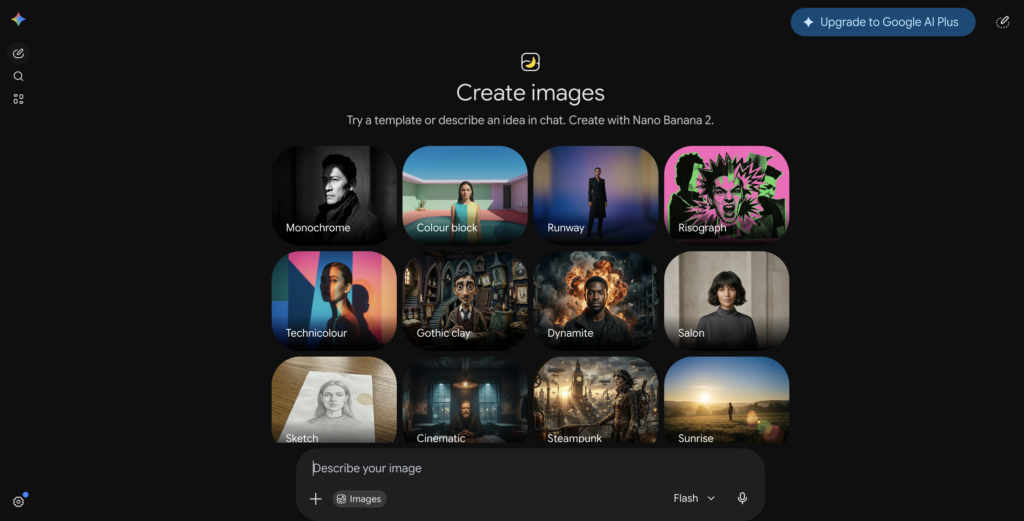
Google’s image model, built on Gemini, and the one that quietly became the default for a lot of working marketers. It generates 4K in under ten seconds with physics-aware rendering and multilingual text support. The Gemini grounding is the interesting part: because it can lean on world knowledge, it gets factual text right more often than rivals, which matters when your infographic needs the correct product name or the right units on an axis.
Reviews single it out for editing rather than generation. It will morph two reference images together, change the camera angle within a picture, and hold a face steady across a set. Testers who compare it against Midjourney and Adobe consistently name that as the thing nothing else does as cleanly. Honest complaints note that it is weaker on stylized illustration, where the output can feel competent rather than art-directed, and that the free Gemini route watermarks everything.
Skip it if: you need a distinctive visual signature rather than a correct render, in which case Midjourney is doing something Nano Banana is not trying to do.
2. GPT Image 2
- Best for: Infographics, diagrams, business graphics, text-heavy marketing collateral
- Price: ChatGPT Plus $20/mo, Pro $200/mo. API runs roughly $0.04 to $0.35 per image depending on quality tier and resolution
- What you give it: A conversation. This is the point of it
- Time to first result: Slowest of the frontier models, because it reasons before it renders
- Free option: Limited, through the free ChatGPT tier
- What the AI does: Plans the image, then generates it, then edits it through natural language
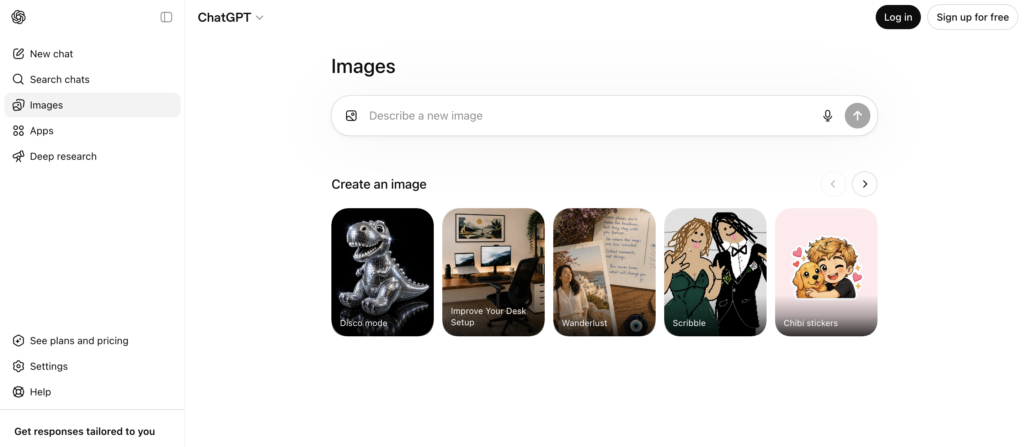
OpenAI’s current image model and the one that replaced DALL-E after the May 2026 shutdown. It tops both the generation and editing leaderboards, with the largest first-to-second gap the Artificial Analysis Image Arena has recorded. It renders multilingual text cleanly, near-perfect across Latin and CJK scripts, which is why designers use it for first-draft poster comps and social graphics with real copy in them.
What marketers actually like about it is not the score. It is that you can argue with it. “Make the logo smaller, move the headline left, warmer light” works, and you do not need to reconstruct the prompt from scratch. Honest complaints note the reasoning step makes it the slowest option on this list, the token-based billing means prompt length affects your bill, and the price spread on a single endpoint runs 35x depending on the quality setting you pass.
Also worth flagging: OpenAI is retiring gpt-image-1.5 and gpt-image-1-mini on December 1, 2026, consolidating everything onto gpt-image-2. If you built on the interim models after the DALL-E migration, that is a second forced move inside six months.
Skip it if: you are generating at real volume, where the per-image cost and the latency both stop being cute.
3. Midjourney
- Best for: Hero images, concept art, mood boards, anything that should look hand-made
- Price: Basic $10/mo, Standard $30/mo with unlimited relax mode, Pro $60/mo, Mega $120/mo. Annual billing cuts each tier by 20%
- What you give it: A prompt, style references, personalization profiles
- Time to first result: About 4 seconds for a standard image on V8.1, roughly 12 seconds for HD
- Free option: No. There has not been one for years
- What the AI does: Renders with taste
V8.1 landed in April 2026 and it is the best version of the tool: around five times faster than V7, native 2K, and text rendering that is no longer a punchline, though it still trails Ideogram badly on long strings. Budget the 30 to 40 percent range if a sign or a label has to read correctly.
Midjourney no longer wins the blind-vote leaderboards. GPT Image 2 and Google sit above it on prompt adherence. It does not matter much, and the reason is worth understanding: the leaderboard measures correctness, not desirability. Midjourney’s default rendering taste is a thing people prefer even when it is technically less accurate.
When you want an image with an opinion, light and texture and composition that reads as art-directed, nothing else gets there. The SREF style reference catalog, where you can borrow a look you found from another creator, is a genuine advantage for brand work.
Honest complaints: no free trial, no API, and the copyright suit from Disney and Universal, consolidated with Warner Bros., is still in discovery as of July 2026. That is an unresolved risk to know about before you build a brand pipeline on it.
Skip it if: the workflow has to be programmatic, because there is no API and there is not going to be one.
4. FLUX.2
- Best for: Photorealism, developers, high-volume API pipelines, custom fine-tunes
- Price: API from roughly $0.014 per megapixel. The family spans Flash for drafts to Max for maximum fidelity
- What you give it: A prompt, plus context images for the Kontext variants
- Learning curve: Low through a hosting platform, high if you self-host
- Free option: Yes, FLUX.2 dev is open weights and runs locally
- What the AI does: Photorealistic rendering, context-aware editing
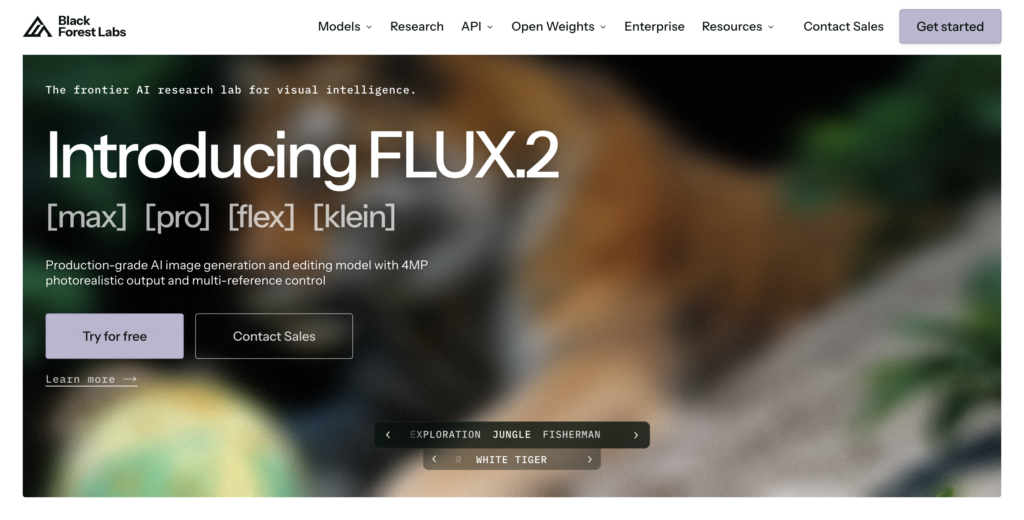
Black Forest Labs, the team behind the original Stable Diffusion, and the open-weight champion. Photorealism, skin texture, and lighting are consistently top-tier. The open weights mean the LoRA and fine-tune ecosystem around it is unmatched, so if you need a model that reliably produces your brand’s specific look, this is the one you train.
FLUX.2 klein is engineered for sub-half-second generation on consumer GPUs, which makes it the fastest interactive option if you own the hardware. For anyone building a real-time feature, a local klein deployment beats any metered API on both latency and per-image cost.
Honest complaints: it is a model, not a product. There is no marketer-friendly interface, no asset library, no brand controls. You use it through a platform or you use it through code.
Skip it if: nobody on your team writes code and you do not want to pay a platform to wrap it for you.
5. Seedream 4.5
- Best for: Product shots, packaging, e-commerce, posters with text, native 4K
- Price: Around $0.03 to $0.04 per image via API, or bundled inside platforms that carry it
- What you give it: A prompt plus up to six reference images
- Time to first result: Fast
- Free option: Through partner platforms rather than directly
- What the AI does: Text rendering, 4K output, reference-based generation, instruction-based editing
ByteDance’s image model, from the same company as TikTok and Kling, and the dark horse that became a default. It renders text better than almost anything, outputs 4K natively, and is genuinely good at commercial photography looks. It supports up to six reference images at once, more than any rival, which is why it keeps showing up in brand-consistency workflows.
Honest complaints: the weak spot is highly stylized illustration, where FLUX and Midjourney feel more art-directed. And reviewers who tested it on ByteDance’s own Dreamina platform found the experience glitchy enough to be irritating, while the same model accessed through a third-party platform worked well. That is a useful signal about where to use it from.
Skip it if: your work is illustration-led rather than product-led.
The platforms built around a job, not a model
This is where most marketers should actually be. These products pick models for you, or wrap one model in an interface designed around a specific output. You give up some ceiling and you get back your afternoons.
6. DeeVid.ai
- Best for: Marketers who need images and video from the same brief, in one place
- Price: Free tier with 20 credits. Lite $10/mo, Pro $25/mo, Premium $119/mo
- What you give it: A prompt, or one to five reference images, or an existing image to edit
- Time to first result: Seconds for images
- Free option: Yes, 20 credits on signup, no card required, watermarked and personal use only
- What the AI does: Routes to Seedream 4.0, Nano Banana (Gemini 2.5 Flash Image) and others, then hands you an editor on top
DeeVid.ai is the closest thing on this list to a marketer’s actual workflow. It integrates multiple models rather than betting on one, and picks between them based on what you are trying to make. The generate, reference, and edit steps live in a single flow, so you are not exporting a render into a second tool to fix the background.
The editing set is the reason it earns this position. Reference image generation takes one to five references to hold style, pose, and palette steady across a set, which is the exact thing that breaks when you generate campaign images one at a time. Then there is erase and replace, expand canvas, background remover, object add and remove, upscale, and old photo restore and colorize. That covers most of what a marketing team sends to a designer as a “quick favor.”
The other thing worth noticing is that images and video are one subscription. If your hero image becomes a product motion shot next week, the image is already sitting in the tool that will animate it. Every paid tier includes a full commercial-use license, stated plainly, which is rarer than it should be in this category. It runs on web, Windows, Mac, iOS, and Android on the same account.
Honest complaints: the free tier watermarks output and is personal-use only, so treat it as a genuine trial rather than a free plan. Credits are the unit for everything including video, so a heavy video week will eat the image budget. And reviewers note the no-refund policy, which is a reason to spend the free credits properly before you commit to a tier.
Skip it if: you only ever make one type of asset and you want the absolute quality ceiling on that one type, in which case go direct to the model.
Read this: How DeeVid performed compared with other AI image generator tools (tested using same prompt)7. Ideogram
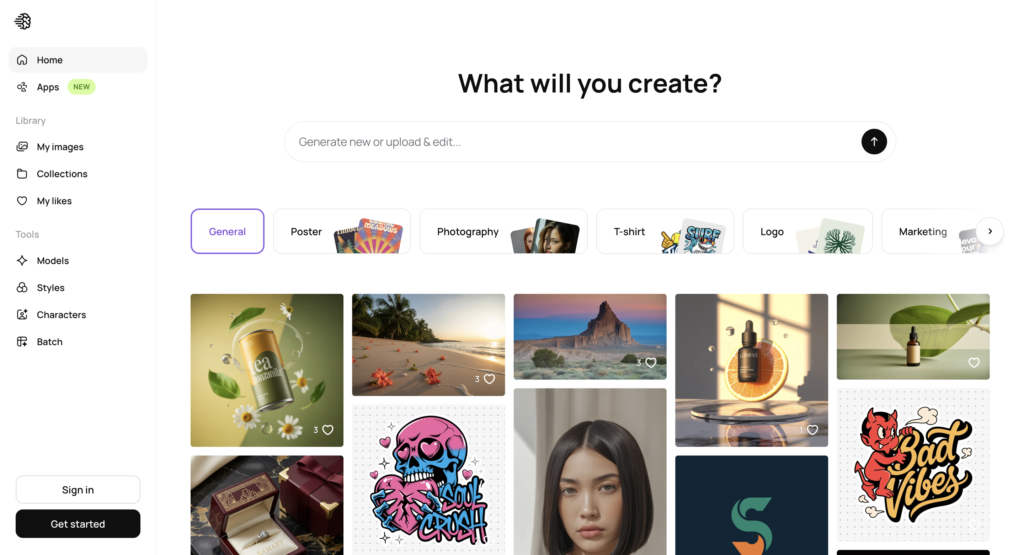
- Best for: Posters, logos, thumbnails, social cards, anything where the words have to be readable
- Price: Free tier, Plus from $15/mo billed annually with 1,000 priority credits, Pro $42/mo with 3,500. Annual saves 25% on Plus and 30% on Pro. API is separate, $0.025 to $0.10 per image
- What you give it: A prompt, a character reference, a canvas to clean up type on
- Learning curve: Low
- Free option: Yes, 10 slow credits per week, images are public
- What the AI does: Renders type that actually spells
Ideogram broke the text-in-image ceiling first and it is still the specialist. When the entire point of the image is the words, wordmarks, lettering, signage, headline cards, it produces the cleanest result in the highest percentage of attempts. Ideogram 4.0 also supports character reference, keeping a mascot or a face consistent across generations, and subscription users get that included rather than metered.
Honest complaints: the credit math is genuinely hard to predict. One image at Quality costs six credits; the same six credits buy eight images on the Turbo model. Priority credits expire at the billing date and do not roll over. And the free tier makes every image you generate public in the explore feed, permanently, which rules it out for anything client-confidential. If you are making fewer than a couple hundred images a month, the API is often better value than a subscription.
Skip it if: you need artistic range rather than typographic accuracy, because that is not the trade Ideogram made.
8. Recraft
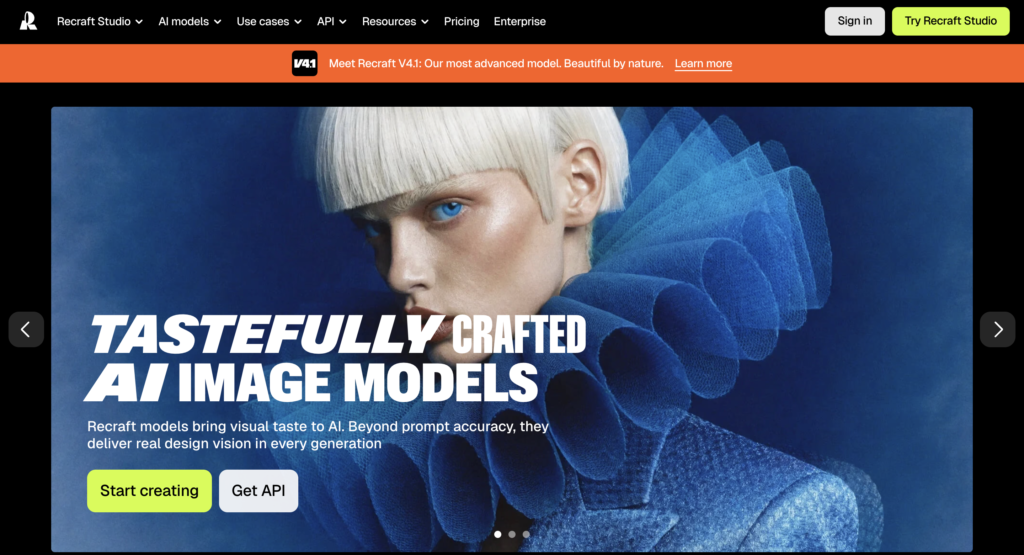
- Best for: Logos, icons, illustrations, brand systems, anything that ends up in Figma or Illustrator
- Price: Free tier with 30 daily credits, Pro from $10/mo with annual prepayment, month-to-month costs more. Teams runs materially higher
- What you give it: A prompt plus a saved brand style
- Learning curve: Moderate, and it rewards designers more than marketers
- Free option: Yes, but see below
- What the AI does: Generates native vectors, not raster
Recraft is the only tool on this list that thinks in design language. It outputs real SVG files that open in Illustrator and Figma and behave like vectors, which removes the raster-to-vector cleanup step entirely. You can save a brand style and lock every subsequent generation to it. For teams managing a visual identity across dozens of touchpoints, that is the whole pitch and it holds up.
Honest complaints: the free tier is a trap for professional use. Everything you make on it is public, Recraft owns it, and you get a personal-use license only. No commercial rights at all. Advanced actions like Creative Upscale burn credits at ten to twenty times the standard rate, so the monthly cost is unpredictable if you use the good features. And the premium only makes sense if SVG output and brand locking are core to how you work, otherwise you are paying for a capability you will not open.
Skip it if: your output is photographic, where a raster-first model will beat it and cost less.
9. Adobe Firefly
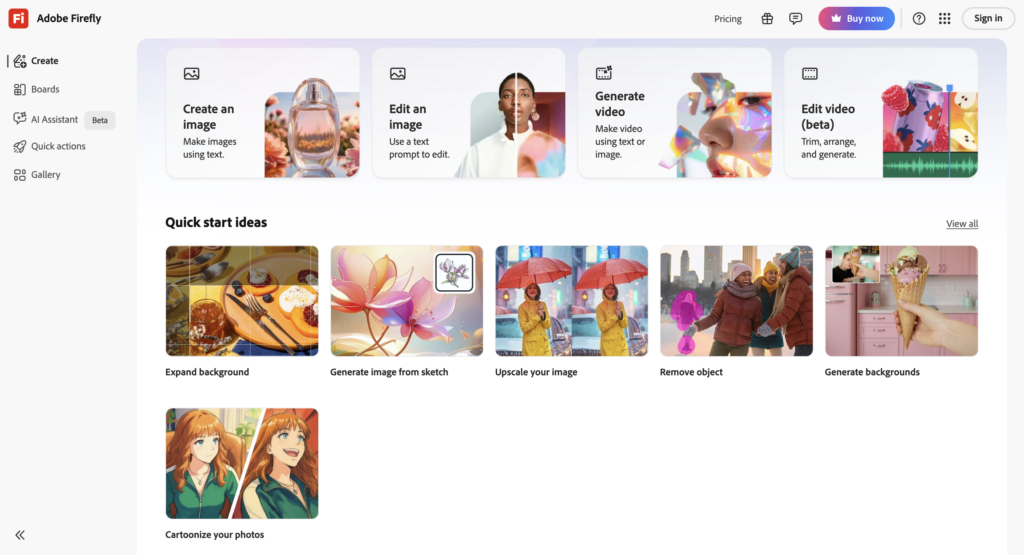
- Best for: Agency and client work where somebody in legal will eventually ask
- Price: Free with 25 monthly credits. Premium $4.99/mo, Standard $9.99/mo, Pro $29.99/mo, Creative Cloud All Apps $59.99/mo
- What you give it: A prompt, a reference, or a Photoshop selection
- Learning curve: Low if you already live in Adobe, moderate if you do not
- Free option: Yes, 25 credits a month, with commercial use allowed
- What the AI does: Generates on licensed training data, edits inside Photoshop and Illustrator, and now routes to partner models
Adobe Firefly has never won on raw quality and it does not need to. It is the only option with full commercial indemnification, because it trained on licensed content rather than scraped content. Nothing else on this list makes that guarantee regardless of what the terms of service imply. If you sell work to clients, that sentence is worth the subscription on its own.
The shape of the product changed this year. Adobe turned Firefly into a model marketplace, hosting partner models alongside its own, so you are no longer choosing between Adobe’s quality and everyone else’s. Generative Fill inside Photoshop remains the cleanest version of “fix this one region without regenerating the whole image” that exists.
Honest complaints: the credit system interrupts flow at exactly the wrong moments, output can lack fine detail against dedicated art models, and reviewers report faces coming out slightly off when the prompt is not interpreted cleanly. And the indemnification applies to Adobe’s own models, so check which model you are routing to before you assume you are covered.
Skip it if: you are doing internal or top-of-funnel work where the legal cover is not the thing you are buying.
10. Leonardo AI
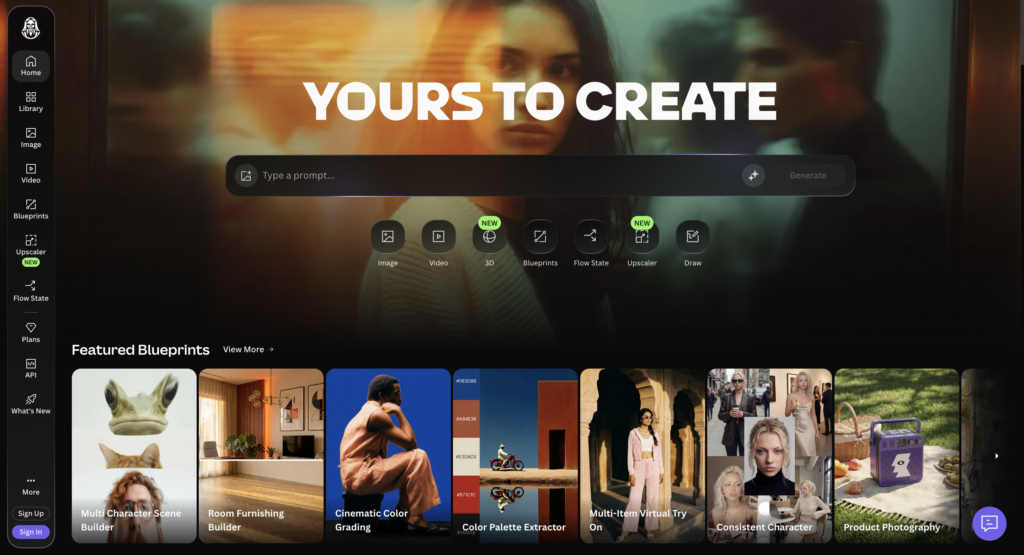
- Best for: Producing a hundred assets that look like they belong together
- Price: Free, then Solo at $12 / $30 / $60 per month. Teams at $72 and $144. API is pay-as-you-go
- What you give it: A prompt, style references, or a custom-trained model on your own images
- Learning curve: Steeper than the conversational tools
- Free option: Yes, 150 tokens a day, roughly 30 to 50 generations
- What the AI does: First-party models plus third-party models in one interface, with Realtime Canvas for editing
Leonardo AI, now owned by Canva, is built for volume with a consistent look rather than one perfect hero shot. Custom model training on your own imagery is the feature that matters for brand work: you can teach it your visual universe and then generate against it. Realtime Canvas handles inpainting and outpainting without switching apps. And the token bank rolls unused allowance forward, which is a real kindness in a category where everyone else forfeits your credits at the billing date.
Honest complaints, and they are specific. The “unlimited relaxed generation” only applies to Leonardo’s own models. Third-party models, which is to say Nano Banana Pro, Seedream, Ideogram, GPT Image, always consume tokens and are never free. Reviewers who tested character workflows found the token burn steep enough to question the value. And the interface has more surface area than most marketing teams want.
Skip it if: you need one image, not fifty, because the setup cost only amortizes over volume.
Free and open
Genuinely free, not trial-shaped.
11. Microsoft Copilot Image Creator
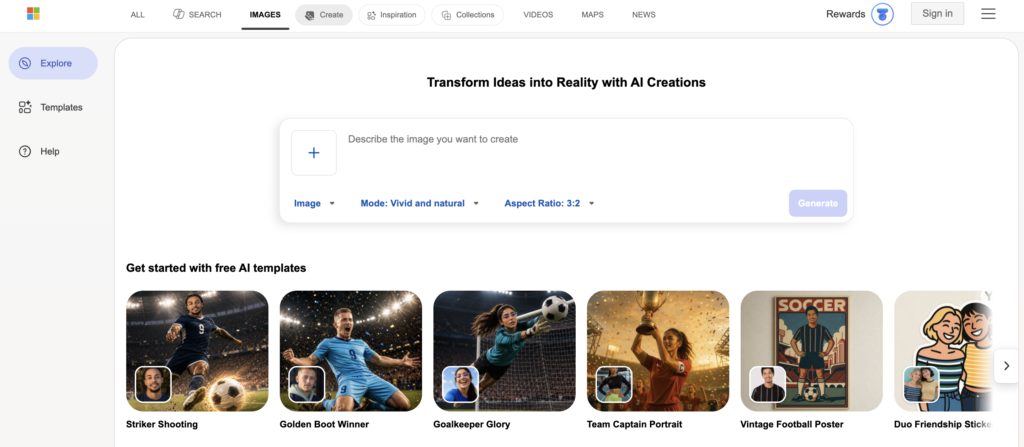
- Best for: Zero-budget volume, placeholders, concept testing
- Price: Free with a Microsoft account
- What you give it: A prompt
- Time to first result: Seconds
- Free option: That is the entire product
- What the AI does: Runs on MAI-Image-2, Microsoft’s own second-generation model
The tool formerly known as Bing Image Creator, and it is worth knowing that it no longer runs DALL-E. Microsoft moved it onto MAI-Image-2, its own model, after the OpenAI image retirements. It is still free, still unwatermarked, still commercially usable, and still fast.
Honest complaints: limited customization, no editing depth, and more variance than paid alternatives, so budget for more attempts. It is fine for placeholder and social volume and not the place to make anything a client will see.
Skip it if: the image is going on a landing page.
12. Stable Diffusion 3.5
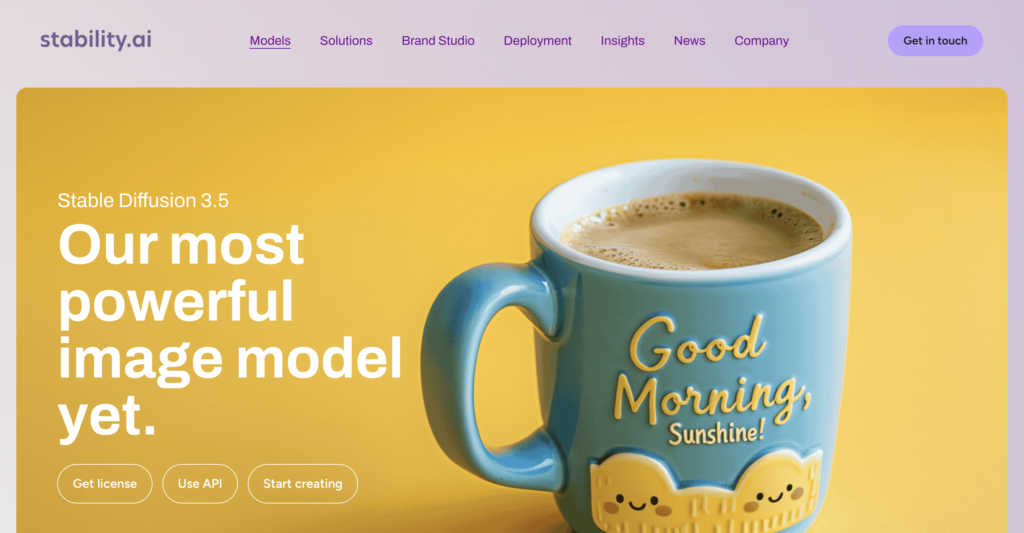
- Best for: Local generation, privacy-sensitive work, mature LoRA and ControlNet ecosystem
- Price: Free, open source
- What you give it: A prompt, plus whatever control layers you want to bolt on
- Learning curve: High
- Free option: All of it
- What the AI does: Whatever you configure it to do
Still the most mature ecosystem of community models, LoRAs, ControlNet extensions, and quantized builds for consumer hardware. The Large Turbo variant produces a good image in four sampling steps, which makes it dramatically faster than the full model. Runs entirely on your machine, so nothing you generate touches a vendor’s servers.
Honest complaints: the setup is a project, not an afternoon, and it needs a technical person who wants to own it. Text rendering still garbles where FLUX.2 holds letter shapes together. Commercial clarity depends on the specific model license you pull down.
Skip it if: nobody on the team is going to volunteer to maintain it, because an unmaintained local stack rots fast.
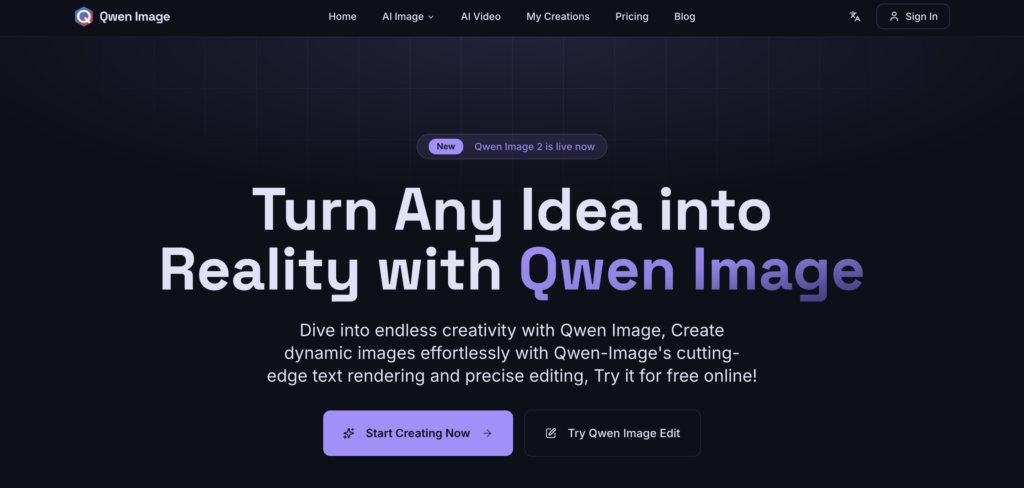
13. Qwen-Image
- Best for: Custom fine-tuning with clean licensing
- Price: Free, open weights, Apache 2.0
- What you give it: A prompt, and a training set if you are fine-tuning
- Learning curve: High
- Free option: All of it
- What the AI does: Open-weight generation with full customization
The current open-weight favorite for customization and privacy. Apache 2.0 licensing is the appeal: it is permissive in a way that makes legal review short. Pair it with custom LoRAs and you get consistent characters at zero marginal cost.
Honest complaints: same as any open model. You are buying flexibility with time, and the quality out of the box trails the frontier APIs.
Skip it if: you are not going to fine-tune it, because unfine-tuned it is just a slower way to get a worse image.
The free tier reality
Some of these free plans are real. Most are trials wearing a costume. Here is the honest split.
Actually usable free:
- Microsoft Copilot Image Creator. Unlimited, unwatermarked, commercially usable. The most genuinely free thing here.
- Nano Banana Pro through Gemini. Watermarked, but the model is the real one, not a crippled variant.
- Leonardo’s 150 daily tokens. Roughly 30 to 50 generations a day, commercial rights included, and enough to run a small social calendar indefinitely.
- Stable Diffusion and Qwen-Image. Free forever if you have the hardware and the patience.
Free with a catch you need to read:
- Ideogram. Ten slow credits a week, and every image is public in the explore feed permanently. Fine for testing. Disqualifying for client work.
- Adobe Firefly. Twenty-five credits a month is roughly one afternoon. But commercial use is allowed on the free tier, which most rivals do not offer.
- DeeVid. Twenty credits, no card required, watermarked and personal use only. A real trial, honestly labeled.
Free in name only:
- Recraft. Thirty daily credits, but Recraft owns the output, the images are public, and you get no commercial rights. This is a demo, not a plan.
- GPT Image 2 on the free ChatGPT tier. Rate-limited enough that you will hit the wall mid-project.
No free tier at all:
- Midjourney. Ten dollars minimum just to see if you like it. They pulled the trial years ago after abuse and it is not coming back.
The marketer’s playbook
Organized by what you are making, not by which tool won.
Social cards and ad creative with a headline in them. Ideogram first, because the text has to spell. GPT Image 2 second if you are already in ChatGPT and the copy is short. Do not try to make Midjourney do this. You will spend an hour and get a beautiful image with “MARKETNIG” on it.
Blog headers and hero images. Midjourney if the brand has a visual point of view worth protecting. Nano Banana Pro if you need it to look correct rather than distinctive. DeeVid if you want the header and the matching social crops out of the same reference set.
Product shots and packaging. Seedream 4.5 or Nano Banana Pro. Both are built for commercial photography looks, both do 4K, both handle text on a label. Seedream takes six references, which is the most on this list, so it wins when the product has to look identical across twelve angles.
A campaign set that has to look like a set. This is the one people get wrong. Do not generate twelve images from twelve prompts. Build a reference set first, then generate against it. DeeVid’s one-to-five reference workflow and Leonardo’s custom model training are both built for exactly this, and they are the difference between a campaign and a pile of images.
Anything a client will pay for. Adobe Firefly, on an Adobe model, not a partner model. The indemnification is the product. Everything else is a terms-of-service page and a hope that nobody looks closely.
Logos, icons, and brand assets. Recraft, and only Recraft, because it is the only one that hands you a real vector. Ideogram if the logo is mostly type.
Images that are going to become video. DeeVid, because the image already lives in the tool that will animate it, and because product motion shots off a single studio photo is the use case that platform is shaped around.
High volume, thousands a month. Do the math before you default to a subscription. FLUX.2 klein’s per-megapixel API pricing or Nano Banana 2 Lite’s per-image floor will usually beat a flat tier past a few thousand images. Past that, run FLUX.2 locally.
Zero budget. Copilot Image Creator for volume, Leonardo’s free tokens for anything that needs to look intentional. That combination covers a surprising amount of a small team’s needs.
Three rules that apply regardless of which tool you pick:
Draft cheap, finish expensive. Explore composition on a fast, cheap model. Re-run the winning prompt on the premium one. Nobody needs GPT Image 2’s reasoning step to find out that the layout is wrong.
Edit rather than regenerate. If a result is ninety percent right, an editing pass costs less than rolling the dice again and hoping the good parts survive.
Match the model to the failure mode, not the leaderboard. Text scrambled? Ideogram or Seedream. Faces drifting between generations? Nano Banana. Skin looks plastic? FLUX or Imagen. The leaderboard measures correctness. Your problem is specific.
How to brief an AI image generator
Most bad AI images are bad briefs. The fix is boring and it works.
Stop writing subjects. Start writing shots.
Bad: happy customer using our software
Better: mid-30s professional woman, genuine mid-laugh not a posed smile, seated at a desk in a modern office, laptop open and slightly out of frame, warm afternoon window light from camera left, shallow depth of field, shot on 50mm, commercial photography, muted teal and warm grey palette
The difference is that the second one specifies the things a photographer would have decided: who, where, light direction, lens, depth, palette, mood. The model is not guessing your taste anymore.
Four moves that reliably improve output:
Name the light. “Warm window light from camera left” does more work than any other five words you can add.
Name the lens. 35mm, 50mm, 85mm. Even models that do not literally simulate optics have learned what those images look like.
Name what you do not want. Negative prompts, where supported, cut more noise than positive additions.
Build a reference before you build a set. Generate one image you love. Feed it back as a reference for the other eleven. This single habit fixes campaign consistency better than any feature on any pricing page.
And a copy-paste starter for brand-consistent social cards:
[subject and action], [setting], [light source and direction],
[lens], [depth of field], [2-3 color palette],
[mood in two words], commercial photography, no text
Generate the text separately in Ideogram and composite. It is faster than fighting for readable type inside a photorealistic render.
How to choose
| What you need | Best pick |
|---|---|
| Words have to be readable | GPT Image 2 |
| Needs to look art-directed | Midjourney |
| Needs to look correct | Nano Banana Pro |
| Client is paying and legal will ask | Adobe Firefly |
| Output is a vector | Recraft |
| Image today, video next week | DeeVid.ai |
| Fifty assets that match | Leonardo AI or DeeVid’s reference workflow |
| Product and packaging in 4K | Seedream 4.5 |
| Thousands of images a month | FLUX.2 via API, or locally |
| Zero budget | Copilot Image Creator, plus Leonardo’s free tokens |
| You want to argue with it | GPT Image 2 |
| Privacy or fine-tuning | Stable Diffusion 3.5 or Qwen-Image |
Ending it…
Every tool here will make you a good-looking image. That is the part that got solved.
What did not get solved is that a good-looking image attached to a bad idea is still a bad idea, now rendered in 4K. The feed is already full of technically excellent visuals that nobody stops for, because the visual was the only thing anyone put effort into. That is content blindness, and image models made it worse, faster, by removing the last natural constraint on volume.
The tools save the doing. They do not save the thinking. The angle still has to be sharp. The words still have to earn the click. The image is the invitation, not the argument.
If the writing under your visuals is not pulling its weight, that is the gap worth closing first. It is what we do: blog writing for B2B SaaS and SEO content writing that gives your images something worth framing.
See what we do, or book a call and we will look at your content engine together.

Rashmita is content marketer with 8 years of experience building and growing SaaS brands. Now she tests various AI tools for marketers and shares her feedback on this blog, LinkedIn, Instagram, and YouTube.